
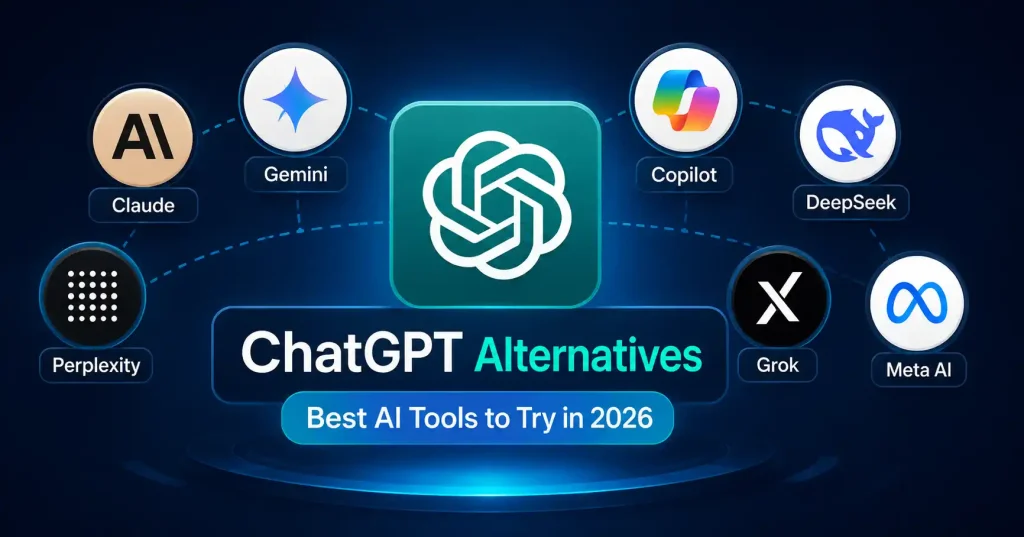

ChatGPT can help with many tasks, yet that does not automatically make it the top option for every situation. What you need matters. If you are hunting for sources, you might do better with a different assistant. For longer drafts, another tool may handle the flow more smoothly. If you want it to work with the apps you already use, a different service may fit better.
That’s why looking at chatgpt alternatives makes sense in 2026.
The AI market has also become much more specialized.Claude handles heavy writing and complex tasks well. Gemini fits right into Google workflows. Perplexity digs into web research, DeepSeek appeals to cost conscious builders who want open models. And Microsoft Copilot? It makes total sense if your daily grind already happens inside the Microsoft ecosystem.
The trick isn’t finding one chatbot that wins every comparison. It’s finding the tool that matches the work you actually do.
What to Look for in a ChatGPT Alternative
Before you switch tools, list the work you do with ChatGPT most often. If you write blog posts, your needs will not match what a developer wants. A researcher, a student, or a sales team also has different goals.
Pick an AI helper that fits how you already work. It should not push you to change your routine.
Consider:
- Writing quality: Does the output sound natural and require reasonable editing?
- Research: Can it work with current information and help you verify claims?
- Context: How well does it handle long documents, detailed instructions, and ongoing projects?
- Integrations: Does it connect with the apps you already use?
- Coding and analysis: Can it handle technical work beyond simple questions?
- Price and limits: Is the free or paid plan practical for your workload?
Don’t compare tools only by model names or benchmark scores. Take the same real task and test two or three assistants. That usually tells you more.
7 Best ChatGPT Alternatives to Try in 2026
1. Claude : Best for Writing and Complex Work
Claude from Anthropic is a strong ChatGPT alternative for folks who write a lot, read and review documents, sort through information, or work on code. Anthropic markets Claude as a general helper for thinking, with tools for files, images, coding, research tasks, data work, and even creative projects.
This is a good fit when the wording and logic matter more than speed. Say you are a content strategist. You can hand Claude a long product brief and ask it to spot gaps or contradictions, suggest an editorial approach, and rewrite parts while staying close to the original tone.
Best for: Intricate writing, deep research, coding, analysis, and expert tasks.
2. Google Gemini : Best for Google Centric Workflows
Gemini makes sense when you already do a lot of work in Google’s tools. The best part is not only that it answers questions. It also blends into the routines you use across Google apps and services.
If you bounce between Google Docs, Gmail, Search, YouTube, and similar services all day, Gemini can feel easier. You do not have to switch to a totally separate set of tools.
Best for: Google turbocharges research, writing, brainstorming, and your day.
3. Perplexity : Best for AI Powered Research
Perplexity is built differently than your average chatbot, it acts like an AI answer engine. It crawls the live web, pulls information together, and spits out conversational replies complete with citations and source links.
That is a huge time saver when you are deep into research and sick of opening forty browser tabs at once. Take a marketer studying an unfamiliar niche. They can pull background data fast, then verify those cited sources directly before tossing the findings into a client report.
And it goes way past basic trivia. Perplexity handles advanced research tasks and works with files, too.
Best for: Web research, current information, source discovery, and research heavy workflows.
4. Microsoft Copilot : Best for Microsoft Users
Microsoft Copilot can be a good option if your day to day work already depends on Microsoft apps. Instead of bringing in a separate chatbot, Copilot may fit better when AI support needs to work with the tools you already have.
Imagine a business person using Word files, Excel sheets, slides, email, and live meetings. When the help stays near those tasks, you spend less time moving text between programs.
Best for: Microsoft 365 users use it for work. It helps with making documents. It also supports creating slides for presentations. It can be used to run business workflows at the workplace.
5. DeepSeek : Best for Open Model Experimentation
DeepSeek has become an interesting option for developers and technically minded users. Its current platform includes the DeepSeek V4 series, with web, app, API, and development options available.
DeepSeek is particularly interesting if you want to experiment with models outside the major closed ecosystems. Its V4 work also emphasizes long context capabilities and agentic tool use, giving developers more room to explore AI powered applications.
Best for: Developers, hackers, and stubborn fanatics of open source.
6. Grok : Best for Real Time and Conversational Use
Grok is another option you might try. It is a chat style helper that seems to be tuned to what is happening online right now. Part of its pull comes from how it fits into the wider X scene. When people are talking about something new and it starts to trend, that can shape what people end up wanting to read or ask about.
For example, someone following a developing technology story might prefer an assistant designed around current online activity rather than one focused primarily on static knowledge.
Best for: Current topics, conversational exploration, and users already active on X.
7. Meta AI : Best for Everyday AI Assistance
Meta AI is built for everyday folks rather than niche professional tasks. Need to brainstorm ideas, fire off a quick question, draft an email, or just chat while scrolling your favorite social apps? It excels right there. But for a heavy research project or a messy corporate workflow, Honestly, reach for something else.But if you want an accessible assistant for everyday tasks without building a complicated AI stack, it deserves a look.
Best for: Casual questions, brainstorming, everyday assistance, and Meta ecosystem users.
ChatGPT Alternatives Compared
| AI tool | Best for | Main strength |
| Claude | Writers and professionals | Writing, reasoning, document work |
| Gemini | Google users | Google ecosystem integration |
| Perplexity | Researchers | Web search and cited answers |
| Microsoft Copilot | Business users | Microsoft ecosystem workflows |
| DeepSeek | Developers | Open model experimentation and coding |
| Grok | Current topic exploration | Conversational, real time oriented use |
| Meta AI | Everyday users | Simple consumer AI assistance |
The table isn’t meant to crown a universal winner. A freelance writer might prefer Claude, while an SEO professional doing source heavy research could get more value from Perplexity. A developer may want to test DeepSeek alongside another coding assistant.
If you’re building a larger AI workflow for marketing, it can also be useful to compare these assistants with specialized platforms. For example, our guide to best AI tools for digital marketing covers tools designed for SEO, content, campaigns, and other marketing tasks.
How to Choose the Right Alternative
Start with your most frequent task rather than the AI model everyone is talking about.
- List your three most common AI tasks. Maybe that’s writing, research, and coding.
- Choose two tools that specialize in those areas. Don’t test seven platforms at once.
- Give both the same real world prompt. Use a task you’d normally do at work.
- Compare the editing required. Faster generation isn’t useful if the result takes longer to fix.
- Check the workflow around the answer. Look at integrations, file handling, citations, exports, and other features you actually need.
- Test the free option first when available. You’ll learn quickly whether the tool fits your habits.
For content teams, there’s another useful approach: use a general AI assistant for planning and editing, then bring in specialized SEO or design tools for specific jobs. Our guide to AI tools for bloggers covers that broader workflow.
Are ChatGPT Alternatives Better Than ChatGPT?
Sometimes, yes. But “better” depends entirely on the task.
Claude may be preferable for a particular writing or document heavy workflow. Perplexity can be more convenient when source backed web research is the priority. Gemini integrates smoothly into Google ecosystems. Still, completely ditching ChatGPT is unnecessary. Why limit yourself? Alternating between both yields vastly superior outcomes. Many users simply mix the tools, bypassing rigid brand loyalty to tackle daily tasks with absolute ease.
FAQ’s
What is the best ChatGPT alternative in 2026?
No single model fits every job. Claude, Gemini, Perplexity, Copilot, DeepSeek, Grok, and Meta AI all work better in different situations. Pick the one that matches the task you care about most right now.
Which ChatGPT alternative is best for writing?
Claude can be a good pick for longer writing tasks, editing, reading documents, and handling work that needs careful thought. Still, what you should choose depends on how you like to write and how much you want to revise along the way.
Which AI tool is best for research?
Perplexity helps with research work. It searches the open web. It also shows citations and links. You can open those sources to verify what it says.
Is DeepSeek a good ChatGPT alternative for developers?
It might be. DeepSeek shares up to date models through its site and an API. It has put a lot of focus on writing code, doing reasoning, handling long inputs, and running tools that act on their own.
Should I use more than one AI assistant?
That makes sense, as long as each tool does a distinct job. For instance, one assistant can help with drafting while another is used for digging up sources. Still, if the two tools do the same thing a lot, then spending on both subscriptions may not feel worth it.
Can I use ChatGPT alternatives for business work?
They tackle writing, coding, and basic admin work with ease. Still, always inspect privacy policies before uploading sensitive info, Terms matter immensely here.
Conclusion
The best chatgpt alternatives aren’t necessarily the assistants packing the longest feature lists. They’re simply the ones that fit a specific job without dumping extra busywork on your desk.
Claude is a strong pick for writing and complex knowledge tasks, Gemini fits Google heavy workflows, Perplexity handles research well, Copilot makes sense for Microsoft diehards, and DeepSeek is worth trying for developers or open model tinkering. Grok and Meta AI round out the bunch for casual, everyday chats.
You don’t need to ghost ChatGPT to benefit from these tools, Pick just one alternative that fixes a real bottleneck in your daily routine. Test it on actual projects, and stick with whatever saves you time or sharpens the final result.

Pingback: Perplexity vs ChatGPT: Which Is Better for Research? |
Pingback: Best AI Research Tools for Students and Writers (2026)