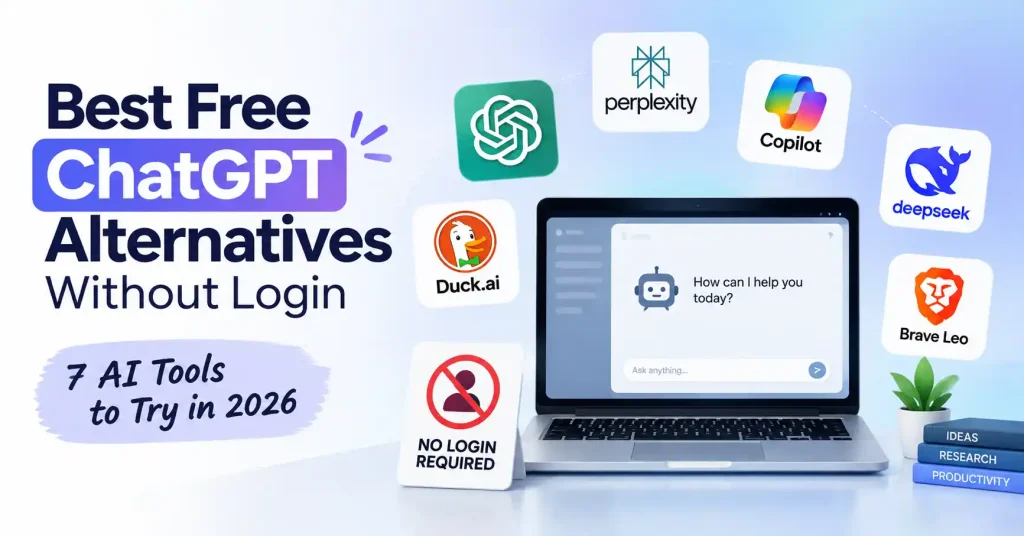

If you want AI help without creating another account, there are several free ChatGPT alternatives without login worth trying. Some let you start chatting immediately, while others are better suited to web research, quick questions, coding, or privacy focused use.
The catch is that “free” and “no login” don’t always mean unlimited. You might see fewer features, shorter sessions, usage limits, or no saved chat history. That said, for a fast reply or a one time task, skipping sign up can be helpful.
Here is a look at the options you have in 2026. It also covers what each tool does well, where it can disappoint, and which choice fits better depending on what you are trying to do.
What Does “No Login” Actually Mean?
A no login AI chatbot should let you open the service and start using its basic chat experience without entering an email address, creating a password, or connecting a social account.
That doesn’t necessarily mean the service collects no information. Your interaction may still pass through the provider’s servers, and anonymous access can have different privacy terms from a logged in account. So don’t treat “no signup” as a guarantee of complete anonymity.
There’s also another distinction worth making: some services allow a few guest queries but ask you to register when you want more features. Those can still be useful, but they’re different from a genuinely account free experience.
Best Free ChatGPT Alternatives Without Login
1. Duck.ai : Best Overall for No Account AI Chat
Duck. ai is a top pick if you just want to open your browser, ask something, and chat right away. No signup needed. It’s from DuckDuckGo, and you can hit up different AI models through an anonymous portal. That’s pretty great if you’re not keen on linking every AI chat to your personal details. This tool works well for regular questions, tossing around ideas, getting text rephrased, looking for explanations, or solving little problems fast. Plus, you’re not stuck with just one AI vendor for all your queries.
Best for: Privacy minded people, quick questions, writing help, and general chat.
2. Perplexity : Best for Research Without an Account
Perplexity takes a different approach from a traditional chatbot. Instead of simply generating an answer from a model’s existing knowledge, it focuses heavily on web search and presents answers with sources that you can check.
You can use it right away without signing in. That helps when you need up to date details, but you are not ready to make an account yet.
Say you are checking two SaaS services. You want their latest prices or feature lists. A typical chatbot might miss recent changes. A tool that is built to search the web can help you find sources that match what is current.The trade off is that advanced capabilities and higher usage limits can require an account or paid access.
Best for: research, current information, comparisons, and source backed answers.
3. Microsoft Copilot : Useful for Quick AI Assistance
Microsoft Copilot may help if you want an AI helper without signing up right away. You can use the browser version to ask questions in a chat style. It can work for daily tasks like finding facts, improving text, or tossing around ideas.
Another thing to think about is that Copilot fits with Microsoft’s wider AI tools. Still, what you see as a guest may not match what shows up after you sign in.
If you only want to try it for a moment or get a fast response, that is often fine.
Best for: Daily questions, ideas, and drafting. People using this already know Microsoft tools.
4. DeepSeek : Worth Considering for Coding and Technical Questions
DeepSeek has become a popular alternative for users interested in coding, reasoning, and technical tasks. Depending on the current access rules and region, its web chat can be available without the same account commitment as many mainstream AI services.
For dev work, the appeal feels simple. You can try out code ideas, get help with snippets, figure out bugs, or compare different ways to build something. You do not have to begin with a paid plan every time.
One good rule for any online AI tool is this. Do not drop passwords, API keys, private source code, customer details, or other sensitive business info into a public chat window.
Best for: I worked on code and asked technical questions. I also tried different ways to test AI thinking.
5. Brave Leo : A Good Option for Brave Browser Users
Brave’s AI assistant, Leo, is worth considering if you’re already using the Brave browser. It brings AI assistance into the browser environment rather than making you jump between a separate chatbot and your other tabs.
The appeal here isn’t simply “another ChatGPT clone.” It’s the convenience of having AI available while browsing, summarizing information, or working with text.
What you can get in Brave depends on how you use it and what tools are available at the time, even if you do not sign in. Because of that, it is best to think of it as a handy browser option, not a full swap for everything.
Best for: People who use Brave can get short updates and ask questions while they browse. They can also follow steps that keep their privacy in mind.
6. ChatGPT Logged Out : The Familiar Option
There is one straightforward choice that is easy to miss: ChatGPT can sometimes be used in a limited way without you having to log in.
If you already understand the basic idea of ChatGPT, this is probably the simplest way to test it.
You can skip learning a new layout and you do not need to deal with how a different tool takes your prompts.The downside is that logged out use is more restricted. You shouldn’t expect the same features, personalization, history, or usage limits available with an account.
Best for: occasional questions when you want the familiar ChatGPT experience without signing in.
7. Other Guest Access AI Tools : Check the Rules Before Using Them
The no login AI space changes quickly. New chatbot interfaces appear, guest access gets removed, and free limits change as providers adjust their products.
That’s why it’s risky to build your workflow around a random “unlimited ChatGPT alternative” you find in a search result.A service can look free right now, but it may ask you to sign up soon. It can also tighten limits later.
When you try a new tool, slow down and verify a few points. First, see if it actually works without an account. Next, find out what happens to the text or prompts you send. Finally, check whether the “free” use has real limits that matter.
Which No Login AI Tool Should You Choose?
The easiest way to choose is to start with the task rather than the brand.
| If you need… | Try… |
| General AI chat without an account | Duck.ai |
| Research and web sources | Perplexity |
| Quick Microsoft oriented assistance | Copilot |
| Coding and technical questions | DeepSeek |
| AI inside a privacy focused browser | Brave Leo |
| Familiar ChatGPT experience | Logged out ChatGPT |
| You don’t necessarily need one chatbot for everything. For example, you might use Duck.ai for a quick rewrite and Perplexity when you need to verify information online. | |
| If you’re regularly producing blog content, you can also compare these tools with the broader recommendations in our guide to the best AI tools for bloggers. |
What You Give Up by Skipping Login
The biggest advantage of no login AI is convenience. The biggest disadvantage is continuity.
If you do not sign in, you usually should not rely on a chat log that lasts. After you shut the browser and come back later, you might find that your earlier thread is gone.
You can also lose some options. For example, you may not get saved chats, personal settings, file upload support, model choice, higher usage caps, or linked tools. This may be fine for quick try outs. It becomes a bigger deal if you plan to use the assistant as part of a work routine.
One more thing to clear up is a common privacy belief.
No login doesn’t automatically mean private. If privacy is your main concern, read the provider’s privacy information and understand what happens to prompts before sharing anything sensitive.
For general AI and digital marketing workflows, our guide to the best AI tools for bloggers can also help you decide when a dedicated tool makes more sense than a general chatbot.
How to Get Better Results From No Login AI Tools
You don’t need a complicated prompt to get useful answers. A few habits make a noticeable difference.
- Give the tool context. Instead of asking “write an email,” explain who it’s for, what you want, and the tone you need.
- State the output format. Ask for a table, checklist, short explanation, code example, or step by step answer when appropriate.
- Ask for verification when accuracy matters. For current facts, prices, product details, or policies, prefer tools that show sources.
- Avoid sensitive information. If you have anonymous access, don’t treat that like permission to share private business details or personal data.
- Treat AI output as a draft. A good response can still have problems. It might be based on a wrong guess. It can also rely on old facts.
A good prompt works wonders. Try something specific, like “Explain this error, tell me what caused it, and give me three fixes, easiest to test first.” You’ll get better answers than from some vague, one liner.
Are Free No Login AI Tools Good Enough for Work?
For small tasks, often yes. They’re particularly useful when you need a quick second opinion, a short rewrite, a definition, an idea, or a simple technical explanation.
They’re less convenient for ongoing projects. If you’re working on a long article over several sessions, maintaining context manually becomes annoying.
Teams also need shared chats, saved documents, tool connections, and steady AI processes. No login tools feel more like quick helpers than full replacements for an AI workspace.
FAQ’s
Can I use an AI chatbot without creating an account?
Some AI services let people use them without an account or with guest access. Still, what you get can shift over time. The limits may also be different from what you expect. So it is smart to look at what is available right now before you count on one tool.
What is the best free ChatGPT alternative without login?
For general no account chatting, Duck.ai is a strong starting point. If your priority is research and web sources, Perplexity can be more useful. The best choice depends on what you’re actually trying to accomplish.
Are no login AI chatbots completely private?
Skipping an account does not automatically hide you. It also does not stop the service from gathering data. Check the provider’s privacy policy first. Do not type private or sensitive details until you know how they handle them.
Can I use these tools for coding?
Sure. AI chat tools can explain mistakes, help write code, check small pieces, and help think through fixes. If it is a private or company project, do not paste secret code or any login info into a public AI site.
Do free AI chatbots without login have unlimited messages?
Usually, you shouldn’t assume that. Guest access may have daily, hourly, session based, or feature specific limits. “Free” describes the price, not necessarily unlimited usage.
Is it better to create an account?
If you plan to use AI often, making an account may help. You can keep your past chats, get more tailored responses, and sometimes reach higher limits. There may also be extra tools.
If you only need a fast reply once in a while, you can also skip signing up. That choice can be totally fine.
Conclusion
Forget the longest feature lists, the best free ChatGPT alternatives that don’t need a login are the ones that actually make your life easier for whatever specific task you’re tackling.
Need simple, no account AI chat, Duck. ai is a good place to start. If digging up and verifying web info is key, Perplexity is probably your best bet, not some old school chatbot. For technical stuff, DeepSeek is worth a look, Already use Brave? Then Brave Leo makes sense. And if you just want something familiar, a logged out ChatGPT works fine.
Here’s the rub: going no login means trade offs. You might lose your chat history, miss out on advanced features, or hit lower limits. And don’t assume that just because you didn’t create an account, your session is automatically private. Still, for quick, low friction tasks, these tools really can be surprisingly handy without forcing you to sign up for yet another account.