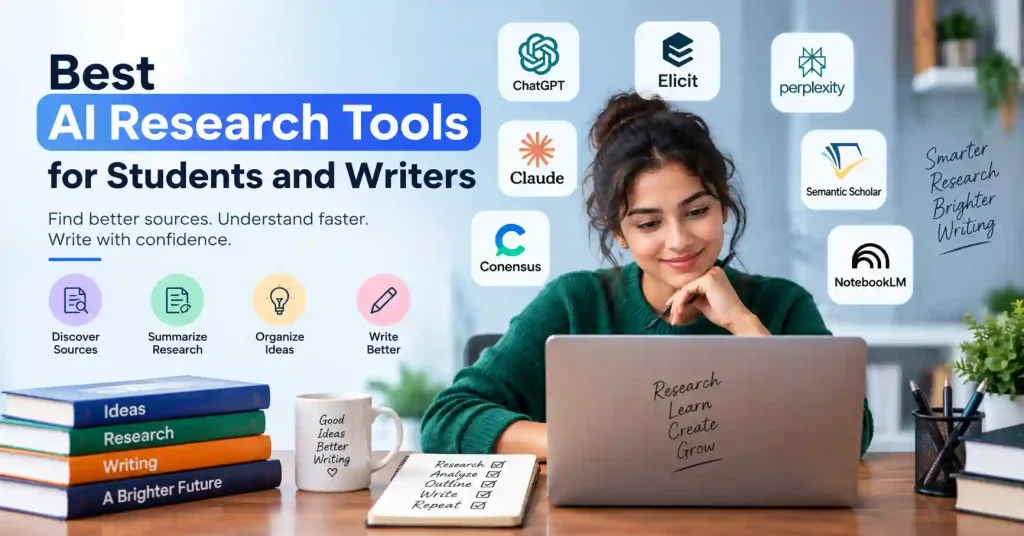

Research used to mean opening dozens of browser tabs, hoarding PDFs, and maintaining chaotic citation logs. The best AI research tools now accelerate much of that workflow, yet the genuinely useful ones do not merely spit out an answer and call it a day. They dig up obscure sources, decode stubborn material, cross examine evidence, structure findings, and translate raw notes into usable prose.
For students, this shift means trading endless scrolling for true comprehension. For writers, these assistants narrow the chasm between a hazy notion and a rigorously backed manuscript. Pick the right tool for your specific investigative goals. Stop chasing the hype.
What Makes the Best AI Research Tools Useful?
A good research assistant should do more than summarize a webpage. The better tools help with at least one of these jobs:
- Finding relevant academic papers or credible sources
- Summarizing long documents and extracting useful points
- Comparing multiple sources
- Finding supporting evidence for a claim
- Organizing research notes and references
- Helping writers understand unfamiliar topics
- Turning research into outlines or structured drafts
There’s also a less obvious factor: transparency. When an AI spits out an answer but hides its tracks, you are stuck doing the grunt work yourself. Still, general purpose assistants aren’t useless. Honestly, they shine at brainstorming, breaking down dense theories, and stitching rough notes into clean paragraphs. Just don’t take their word as gospel. Treat them like a helpful intern, not the final word on the matter.
10 Best AI Research Tools for Students and Writers
1. ChatGPT : Best Overall Research Assistant
ChatGPT fits because research never follows a straight track. You bounce between brainstorming angles, parsing dense jargon, summarizing massive files, weighing competing theories, or combing through raw notes. Honestly, it is messy. Picture a student writing a paper on renewable energy, using the tool to nail down a fresh angle before diving headfirst into the library for heavy sources.
A writer could use the same workflow to turn a broad topic into several focused questions worth investigating.
The real value comes from using it as a thinking partner rather than asking it to write the entire assignment.
2. Elicit : Best for Academic Research
Elicit is particularly useful when your research depends heavily on academic literature. Its search system is designed around scientific papers, and it can help researchers identify relevant studies, extract information, and organize findings into structured outputs.
Stop hunting for endless keyword variations about remote work and productivity, Just type your exact research question and dive straight into the papers Elicit surfaces. It tackles literature reviews seamlessly. This tool is an absolute powerhouse for students wrestling with hefty dissertations, academic essays, systematic reviews, or massive research projects that usually drain all your energy.
3. Perplexity : Best for Quick Web Research
Perplexity is useful when you want a fast overview of a topic and need sources alongside the answer. Instead of opening search results one by one, you can ask a question and inspect the references behind the response.
It’s a lifesaver early in a project. Say you’re writing on AI in customer support. You can use it to map out big themes, specific jargon, key companies, and lingering questions that beg for a closer look.
Don’t stop at the generated summary, though. Open important sources and verify the claims before using them in published work.
4. Claude : Best for Working With Long Research Material
Claude thrives when research piles high and clarity slips away completely. Dump messy notes or dense reports directly into the chat. Demand razor sharp summaries, unearth hidden contradictions, or finally conquer those lingering questions that refuse to go away.
That makes it useful for writers who have gathered too much material rather than too little. Instead of asking, “What should I research?”, you can ask, “What are the three strongest arguments in these documents, and where do they disagree?”
That distinction can save a surprising amount of editing time.
5. NotebookLM : Best for Researching Your Own Sources
NotebookLM works particularly well when you want the AI to stay grounded in documents you’ve supplied. Students can use it with lecture notes, PDFs, study material, and other source documents to ask questions about their own research collection.
A practical use case is exam preparation. Upload several course documents and ask for a comparison of the concepts, a study guide, or questions that test whether you’ve actually understood the material.
It’s also useful for writers working from interviews, reports, research papers, and internal documents.
6. Consensus : Best for Evidence Based Questions
Consensus focuses heavily on scientific and academic research. It’s useful when your question is less “Explain this topic” and more “What does the research say about this?”
That difference matters.
If you are writing about nutrition, psychology, schooling, or how people act at work, you should look at what the published studies actually reported.
A clear explanation is nice, but it is not the same as the results from research..
Use it to identify relevant research and then read the underlying papers when the claim matters.
7. Semantic Scholar : Best for Finding Academic Papers
Semantic Scholar is a solid tool when you need to dig into academic literature without drowning in junk results. You can unearth papers, track related research, and spot heavy hitting studies on any specific subject.
It shines brightest once you have even a single good paper in hand, Stop running broad searches. Use that one piece as your launchpad to find everything connected to it, branching out effortlessly across decades of scholarship.
For students staring down a messy literature review, this beats typing the same tired keywords over and over.
8. Scite : Best for Checking Citations
Finding a paper isn’t the same as understanding how other researchers have treated it.Scite is genuinely useful for checking citation contexts. You can see right away if later research supports a study, contrasts it, or just mentions it in passing.
That matters. When you stumble on a heavily cited paper, you need to know if the science still holds up.That extra layer matters. A citation can look impressive while telling a very different story once you inspect how the source is actually being used.
9. Grammarly : Best for Editing Research Based Writing
Grammarly isn’t meant for digging up research. Still, it shines right at the end of your workflow. Once your draft sits there and all evidence is gathered, it spots clunky phrasing, messy grammar, and muddy spots needing clarity.
The smart move? Keep it in the editor chair. Don’t just hand over the keys and let the software rewrite your whole piece automatically.
Your research and argument should remain yours.
If you’re publishing online, you can also use an on page SEO checklist before publishing to catch structural and optimization issues.
10. ChatPDF : Best for Questioning PDFs
ChatPDF is designed around a simple problem: reading long PDFs can be slow. Upload a document. Ask questions directly instead of digging through every single page by hand.
This approach truly shines when tackling dense research papers, sprawling reports, or endless manuals where you desperately need targeted answers fast. Students easily query a paper regarding specific methodologies, demand hidden limitations, or pull a quick summary. Even so, always verify quotes, numbers, and key facts against the source text before citing them.
How Students and Writers Should Use AI for Research
The strongest workflow isn’t “ask AI to research my topic.” It looks more like this:
- Define the question. Start with a specific research question rather than a broad subject.
- Find primary or credible sources. Use academic databases, original reports, official documentation, and reputable publications where appropriate.
- Use AI to organize the material. Ask for comparisons, summaries, themes, contradictions, and missing information.
- Verify important claims. Open the original source before relying on a statistic, quotation, or significant conclusion.
- Build your own argument. AI can help structure ideas, but your interpretation should drive the final piece.
- Edit the finished work. Remove generic wording, check citations, and make sure every important claim has adequate support.
Take SaaS pricing research. A blogger might use Perplexity to start digging, Elicit or Semantic Scholar for academic backing, a document tool for reports, and then Claude or ChatGPT to stitch the notes together.
That specific mix usually beats forcing some single app to do the whole job from start to finish.
Common Mistakes to Avoid When Using AI Research Tools
The biggest mistake is assuming a confident answer means an accurate one. AI can easily miss context, misread sources, or cook up an incomplete explanation using surprisingly convincing language.
Then there is the trap of leaning on secondary summaries when the real thing sits right there. If a company filing, research paper, government report, or official document actually matters to your point, go straight to it. Don’t skip this.
And never just dump AI text straight into an assignment or article, because even if the facts check out, the output usually ends up generic, badly sourced, and completely out of sync with your real argument.
A better rule is simple: use AI to accelerate research, not to replace judgment.
FAQ’s
What is the best AI research tool for students?
No single tool works best for everything. ChatGPT can help a lot with general study and finding background information. If the task is mainly about academic papers, other tools tend to fit better. Elicit, Consensus, and Semantic Scholar are often the better pick in that case.
Which AI tool is best for academic papers?
Elicit can help you search for academic papers and sort what you find. I also like Semantic Scholar and Consensus when I need to look for sources and judge what is worth reading.
Can AI research tools replace Google?
AI tools can speed up research. Still, classic search and checking the source yourself matter a lot. If you need the actual page, report, paper, or official statement, it helps to go straight to the original.
Are AI research tools reliable?
They can help, but how well they work depends on the tool, the data you start with, and what you are trying to do.
If something matters, check it using the original source. This is extra important for school work, court or legal needs, money topics, health issues, and technical documents.
Can writers use AI research tools for blog posts?
Yes. They can help you find topics, track down sources, and read up on areas you do not know well. They can also help you see different sides of an issue and keep your notes in order. Still, you need to check facts yourself and add your own thinking.
Should students use AI to write assignments?
AI helps with learning, brainstorming, outlining, and checking your work. Still, students need to follow school honor codes. Grasping a tough concept via AI is worlds apart from passing off machine made text as your own. Know where the line is.
Conclusion
The finest AI research tools refuse to simply churn out endless paragraphs. The truly useful ones dig up sharper facts, fast track comprehension, and process evidence at lightning speed.
For academic work, look at Elicit, Consensus, and Semantic Scholar. If you are wrestling with general research and drafting instead, platforms like ChatGPT, Claude, Perplexity, and diverse document apps plug distinct holes.
Forget hunting for a magic app. Build a workflow. Start with a razor sharp question, track down solid sources, and let the software sift the pile. Crucially, verify the heavy-hitting details yourself. Apply your own brain to the final draft. That is how these utilities actually assist you, rather than merely stuffing your browser with twenty abandoned tabs that lead nowhere.