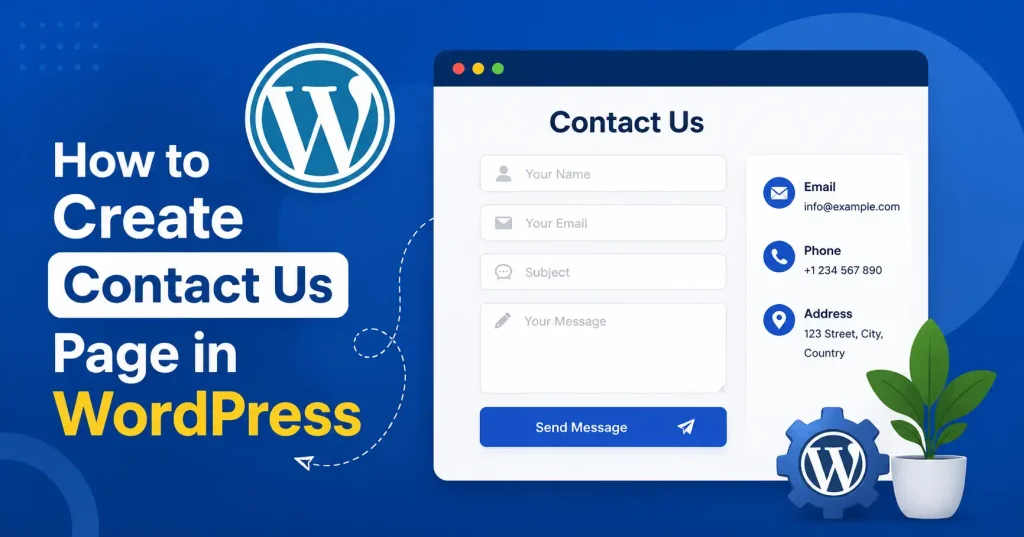

A great contact page has one job, Make it crystal clear how people can reach out. Questions, tech help, bug reports, partnership pitches. All of it. Building one for your WordPress site? You don’t need to be a coding guru at all. The block editor handles the layout.Instead, a contact plugin handles the heavy lifting, firing messages straight from the browser to your inbox. It matters zero whether you run a tiny personal blog, a sleek portfolio, a bold startup, or a crowded ecommerce shop. Simply dropping a bare email address onto a blank screen just fails now, A proper contact page demands total clarity. Folks need to know who is listening, what exact info you require, and what occurs the second they hit send.
.
Why Your WordPress Website Needs a Contact Us Page
Your Contact Us page really counts. Visitors need a deadsimple way to reach you, whether they want product details, price quotes, bug fixes, or serious partnership talks. Hide that path, and they just leave. Having one dedicated hub also gives your header menus, footer, and social profiles a reliable target to link back to. It sounds basic, but it works. Look at GoTechMantra’s Contact Us page for a clean example of how to do this right.
Keep the page brief. Most of the time, all you truly need is a quick greeting, an intake form, basic business details, and a note telling folks when you’ll reply.
What to Include on a WordPress Contact Page
Before you create the page, decide what visitors actually need. A simple contact page might include:
- A short heading and introduction
- Name field
- Email address field
- Subject or inquiry type
- Message field
- Submit button
- Business email or phone number, if appropriate
- Business hours, if relevant
- Location or service area, if customers visit you
- Expected response time
Don’t ask for information you won’t use. If someone wants to contact a software company about a technical problem, for example, asking for their full postal address probably adds unnecessary friction.
For privacyconscious websites, it’s also worth explaining how submitted information is handled. You can point visitors to your site’s Privacy Policy when appropriate.
How to Create Contact Us Page in WordPress
The process has two parts: creating the WordPress page and adding a working contact form. Here’s the practical way to do it.
1. Create a New WordPress Page
Head to your WordPress dashboard. Click Pages, then Add New Page.
Type Contact Us for the title. WordPress builds a URL for you automatically. You can always change that permalink if something else fits better. A neat slug such as /contactus/ looks clear to site visitors and stays solid as a permanent address.
Next comes a brief intro. Skip the hard sell, Keep it simple. A plain line like, got a question about what we do, just drop us a line and we will reply, hits the exact right note.
2. Add Your Contact Information
Add any information visitors may need before filling out the form.
For example:
Email: hello@example.com
Phone: +1 000 000 0000
Business hours: Monday–Friday, 9 AM–5 PM
If your website is primarily online, you may only need an email address and contact form. A local business, on the other hand, may also want to include a physical address, directions, or business hours.
3. Add a Contact Form
WordPress doesn’t really come with builtin contact forms. Most people just snag a plugin. New to this? WPForms is a solid choice, it has this draganddrop feature that makes creating them a breeze. They even throw in a prebuilt template for a basic contact form, which is super handy. Plus, the folks behind it offer loads of tutorials on setup, form creation, managing replies. And just keeping everything humming along.
To grab a form plugin, head straight to Plugins and click Add New from your WordPress dashboard. Look up the one you need, pop it in, and activate it.
From there, jump right into the builder, you can churn out your very first contact form in minutes. Honestly, it is delightfully straightforward.
For most websites, these standard fields will do the trick:
- Name
- Subject
- Message
- Submit button
You can add additional fields when there’s a genuine business reason. For example, a marketing agency might add “Service Interested In,” while a SaaS company could ask for “Account ID” or “Company Name.”
4. Configure Form Notifications
Making the form is only half the battle. You have to route those submissions to the right inbox, too. Head into notification settings and pick an email address for new messages, Use a real business account someone actually monitors. Not a dead drop.
Next, give the notification a clear subject line, Try something like New Contact Form Submission from the Website. Trust me, it saves time when the inbox gets swamped.
If your plugin has confirmation options, tweak the postsubmission text. A quick note reading thanks for reaching out, we got your message and will reply soon works wonders. It gives people peace of mind that the button actually did something.
5. Add the Form to Your Contact Page
After you build the form, return to your Contact Us page inside WordPress, Just drop it in using whichever embed option the plugin provides. Modern tools usually hand you a handy block letting you pick the form straight from the editor.
Place it wherever it looks natural. On a basic site, maybe text and details go left while the form sits comfortably on the right. Small screens change things, though. Those sections just stack up vertically on a phone.
6. Publish and Test the Page
Before adding the page to your main navigation, test it yourself.
Submit a real test message and check:
- Does the form submit successfully?
- Does the confirmation message appear?
- Does the notification arrive in the correct inbox?
- Are the sender’s name and message visible?
- Does the form work on mobile?
- Are required fields clearly marked?
This step is easy to skip, and it’s one of the most costly mistakes you can make. A contact form that looks perfect but silently fails to deliver messages isn’t doing its job.
Contact Form Best Practices for WordPress
A good contact form should feel easy rather than demanding. Keep the number of fields strictly low. If you only need someone’s name, email. And question, skip adding ten random fields just because the form builder lets you do it.
Use clear labels instead of vague placeholders. Business email tells users much more than simply enter here.
It is also worth adding spam protection once your site starts pulling in automated junk submissions. Plenty of form tools pack CAPTCHA or other antispam features. Pick something that fits your traffic without forcing real visitors to jump through ridiculous hoops.
And phones. Make sure the thing actually works on mobile. A layout that looks gorgeous on a desktop but requires awkward horizontal scrolling on a tiny screen will kill your leads right away.
Optimize Your Contact Us Page for SEO
That Contact Us page of yours doesn’t need to fight for some massive search term. Its SEO job is actually pretty straightforward: make the whole thing make sense to both web crawlers and real people.
Stick to a simple page title like Contact Us, and keep the URL short. Write a tight meta description telling visitors how they can reach the business.
Skip keyword stuffing entirely. Don’t cram in awkward variations of contact us, contact website, and contact WordPress. Natural language wins every time.
Got a bricksandmortar shop? Put your exact address and business details right there. Service businesses should just list the actual areas they cover. Leave out those fake lists of locations built solely to trick search traffic.
Make the Contact Page Easy to Find
A Contact Us page fails if visitors have to hunt for it. Put that link right in your main navigation bar whenever direct customer conversation drives your business. You can also drop another down in the footer, ensuring people can locate it from virtually anywhere on the site.
Running a lead generation site instead? Think about weaving contextual links straight into your pricing sheets, product descriptions, or top blog posts. Someone reading a detailed breakdown of your offerings might feel ready to ask a question right then and there. They will never want to dig through the main menu first.
Common Mistakes to Avoid
Failing contact pages. Tiny little errors completely ruin them right away.
Using only an email address: Email links function fine, honestly. But forms capture inbound inquiries far more cleanly and in a structured way.
Asking for too much information: Long forms create unnecessary work for visitors.
Forgetting notifications: Always test where submissions are being sent.
Not testing on mobile: Your contact page should work comfortably across screen sizes.
Hiding the page: Don’t bury your contact page three levels deep in the navigation.
Ignoring privacy: If you’re collecting personal information, make sure your site’s privacy information accurately explains how that data is handled.
FAQ’s
Can I create a Contact Us page in WordPress without coding?
Yes, you can build that page using the block editor. Just grab any contact form plugin and drop it in. No code needed.
Does WordPress have a builtin contact form?
WordPress has a page editor, obviously. But a contact form builder? That’s not part of the basic package. You’ll need a plugin for it.
What fields should a contact form have?
Keep forms dead simple. Stick to name, email, subject, and message. Skip extra fields entirely unless they actually help you sort through incoming messages.
How do I know if my WordPress contact form works?
Submit a test run yourself. Check that the form actually goes through, the confirmation screen pops up, and the notification hits the right inbox. Try it on desktop and mobile.
Should I add a phone number to my Contact Us page?
Got a phone? Put your number out there if you actually pick up, but if email or forms are how you roll, skip the phone. No need to follow the crowd.
Is a Contact Us page important for SEO?
Usability reigns supreme, while rankings lag behind. Yet, clever titles, pristine links, and robust business details quietly guide human visitors and search crawlers alike, decoding your exact digital purpose instantly. No guesswork required here.
Conclusion
Making a “Contact Us” page in WordPress isn’t rocket science. Just set up a page, drop in your contact details, build a quick form, sort out notifications, stick it on your site, then test everything before anyone sees it.
The real trick? Usability. Keep that form brief, Make sure the page is simple to locate. Tell people what happens after they hit submit. And honestly, don’t ask for info you don’t actually need. Nail these basics, and your contact page goes from some random menu item to a genuinely useful part of your website.