
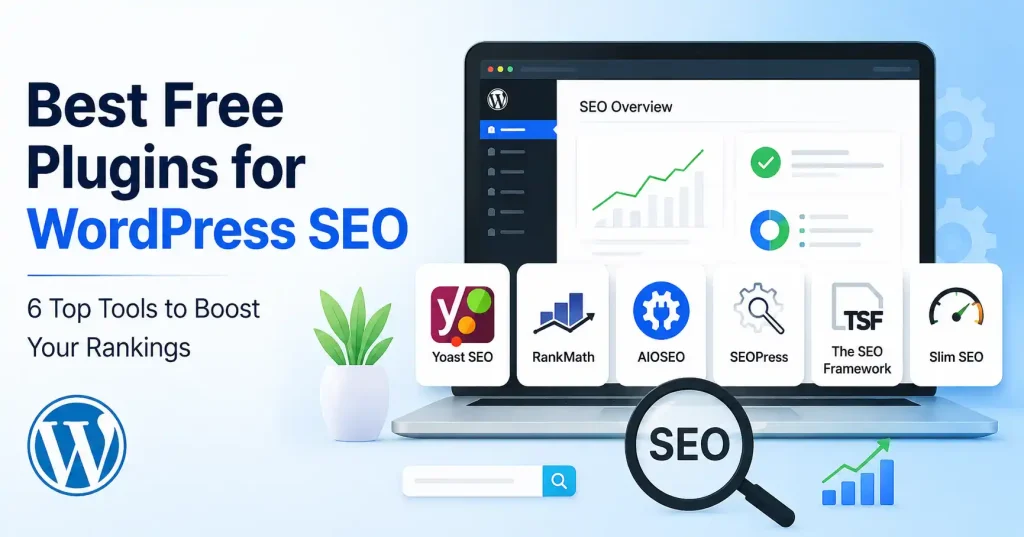

Sifting through free WordPress SEO plugins gets overwhelming fast. Sure, the big names cover fundamentals like SEO titles, XML sitemaps, canonicals, schema, and search appearance. Yet they diverge wildly on interface design and just how much power they lock behind paid upgrades.
Forget the longest feature list. A beginner dropping a weekly post simply needs straightforward writing tips. A developer, on the other hand, just wants a lean tool that gets completely out of the way. This guide lines up six practical choices and spells out precisely where each one fits best.
What Should a WordPress SEO Plugin Actually Do?
A solid SEO plugin keeps routine optimization simple. It should never turn your WordPress dashboard into a maze of settings. Look for basic controls first. You need command over SEO titles and meta descriptions, XML sitemaps, indexing directives, canonical URLs, social metadata, and simple structured data.
Beyond those core items, helpful additions include redirects, 404 monitoring, content analysis, schema controls, image SEO, analytics integrations, and WooCommerce support. You won’t need every bell and whistle. Extra modules only pull their weight if you use them.
Check your current setup before installing anything new. Does your theme or another plugin already handle part of this? Running two tools that generate overlapping metadata or competing sitemaps just creates messy conflicts.
Best Free Plugins for WordPress SEO
1. Yoast SEO : Best for Beginners and Content Teams
Yoast SEO remains a top pick for writers wanting guidance mid draft. The free plugin hands you SEO checks, readability scores, XML sitemaps, canonical controls, robots settings, social metadata, and structured data tools.
The real win here? Flow, you never hunt through dense technical menus before hitting publish. Writers simply tackle the optimization panel right inside the WordPress editor. For a lean editorial crew, that quiet familiarity usually beats having fifty advanced tweaks waiting in the wings.
Best for: Bloggers, writers, publishers, and beginners who want guided optimization.
2. Rank Math SEO : Best for Feature Focused Users
Rank Math is a strong choice if you want a broad collection of SEO features from one plugin. The free tier delivers core SEO controls, handling schema features and XML sitemaps right out of the box. Site owners love it. Why clutter the dashboard with half a dozen plugins just for basic tasks when one tool suffices? The catch is that the interface gets somewhat crowded. If you genuinely enjoy digging through complex settings, that extra power remains entirely worth it. Best for: Bloggers, small businesses, and experienced WordPress users who want more built in options.
3. All in One SEO : Best for Small Business Websites
AIOSEO goes far beyond basic site tweaks. The free plugin packs essential tools like XML sitemaps, meta settings, and schema markup. It handles the heavy lifting for your search visibility effortlessly, all without charging a single dime.
It can be a sensible fit for a business website where SEO sits alongside marketing rather than being handled solely by a content writer. The interface is designed to make several SEO tasks accessible from one dashboard.
Best for: Small businesses, service websites, and marketers who want an all round SEO toolkit.
4. SEOPress : Best for a Clean, Flexible Workflow
SEOPress deserves a look if you want a clean SEO setup that avoids messy distractions. The free tier packs a punch. You get titles, meta descriptions, sitemaps for both XML and HTML, social metadata, canonical tags, and content analysis alongside other technical knobs.
One standout perk? The content analysis tool handles multiple target keywords, Even better, it drops any artificial keyword caps on the free version. There is also an installation wizard to soften the blow of initial setup.
Best for: Bloggers, agencies, and site owners who want control without an overloaded workflow.
5. The SEO Framework : Best for Lightweight SEO
The SEO Framework takes a more restrained approach. Instead of packing in endless marketing tools, it sticks to automating core SEO tasks with minimal clutter. WordPress. org actually flags it as a fully loaded SEO plugin built specifically for professional WordPress sites.This approach makes sense when you already have separate tools for analytics, performance, security, or marketing. You get the SEO foundation without needing to use every possible module.
Best for: Developers, experienced WordPress users, and websites where simplicity matters.
6. Slim SEO : Best for Automatic Setup
Slim SEO targets users who hate wasting hours configuring an optimization plugin. It leans hard into automation, handling tedious chores with virtually zero settings to tinker with.
For a modest site, this radical simplicity finally pays off. If you run a basic blog and just want reliable metadata, spotless sitemaps, and quiet core muscle without the bloat, a stripped down tool is the exact right fit.
Best for: Beginners, small blogs, and users who prefer automatic configuration.
Quick Comparison
| Plugin | Best for | Main strength |
| Yoast SEO | Beginners and writers | Guided content optimization |
| Rank Math | Feature focused users | Broad free feature set |
| All in One SEO | Small businesses | All round SEO management |
| SEOPress | Flexible setups | Clean controls and strong core features |
| The SEO Framework | Experienced users | Lightweight approach |
| Slim SEO | Simple websites | Automation |
Sure, the free tier works wonders for tiny sites, but look deeper. Does this plugin actually hand you necessary control, or just box your workflow into useless features? It traps you.
How to Choose the Right SEO Plugin
Start with your publishing routine, not the plugin’s marketing page. If you write articles regularly and want feedback while editing, Yoast SEO may feel natural. If you want a larger toolbox, Rank Math is worth investigating.
AIOSEO fits right in if SEO is just one piece of your broader marketing push. SEOPress catches your eye when you need deep control paired with a clean setup. But if you prefer keeping things light, The SEO Framework and Slim SEO work best.
Watch out for migration, though. Got hundreds of posts already? Switching plugins isn’t a casual weekend project. Check metadata, redirects, schema settings, and indexing rules carefully both before and after you pull the switch.
How to Set Up a Free WordPress SEO Plugin
Once you’ve chosen one plugin, don’t activate every module immediately. A simple setup process is safer:
- Install and activate only one primary SEO plugin.
- Run its setup wizard if one is available.
- Configure your site name, homepage title, and search appearance.
- Check XML sitemap settings and make sure important content can be crawled.
- Review indexing and robots settings before publishing.
- Set sensible templates for post and page titles.
- Customize individual titles and meta descriptions on important pages.
- Test the site’s search appearance and canonical URLs.
For a more detailed foundation, see our WordPress SEO settings guide for beginners. If you’re building a new site, our guide to creating a WordPress website step by step also covers the SEO related setup decisions that are easy to overlook during launch.
Don’t Judge SEO by a Green Score
One of the easiest mistakes with SEO plugins is treating their score as the goal. A page can tick every box on a plugin checklist and still completely flop as an answer. Treat those suggestions strictly as a rough guide. They never replace plain old editorial sense. Stop and ask yourself a few basic things before hitting publish. Does the piece actually answer the query, Does the title fit the content? Are the key details easy to spot, Do those internal links connect to anything useful at all?
Performance counts for a lot here, An SEO plugin is just one small piece of your WordPress puzzle. Don’t pile on three different overlapping tools just because they claim to handle SEO. Go check the directory when you need to review technical basics and see what is actually compatible.
Common Mistakes to Avoid
A few mistakes appear repeatedly when people configure WordPress SEO:
- Installing two full SEO plugins at the same time.
- Changing established URLs without planning redirects.
- Indexing thin, duplicate, or unnecessary archive pages.
- Writing meta descriptions that don’t match the actual page.
- Adding keywords unnaturally just to satisfy a plugin score.
- Assuming an XML sitemap guarantees indexing.
- Enabling advanced features without understanding what they change.
Plugins handle the tech side, fine. But they won’t maintain your site, Always check crucial configurations whenever you swap themes, install tools, or alter site URLs.
FAQ’s
Are free WordPress SEO plugins enough?
Free editions tackle basics like titles, sitemaps, and indexing for smaller sites quite nicely. Premium muscle matters only when massive workflows, intricate schema tweaks, or deep local SEO reporting become absolute necessities. Frankly, why pay early?
Which free SEO plugin is easiest for beginners?
Yoast SEO works great for beginners. The editor guides you right through the tricky parts. Slim SEO is the pick instead if you just want pure automation and way fewer settings to fiddle with.
Can I use two SEO plugins together?
Stick to one main SEO plugin. Two of them fighting over metadata, sitemaps, schema, and robots instructions will just break things. Configurations get messy fast.
Does an SEO plugin guarantee higher rankings?
Nope. An SEO plugin just gives you the tools. Your actual rankings? Those are all about content quality, search intent, site structure, your competition, links, technical health. And whether visitors like what they see.
Should I switch SEO plugins if my current one works?
Not really. If your current plugin does the job without breaking, swapping just for extra features means pointless migration pain. Upgrade only when your setup hits a real wall or stops matching how you work.
Which SEO plugin is best for a small blog?
Run a basic blog, and Yoast, SEOPress, The SEO Framework, or Slim SEO will work. Pick whichever setup clicks with your publishing habits, Honestly, ignore the hype. Just match the plugin to your genuine workflow.
Conclusion
The top free WordPress SEO plugins simplify optimization without adding more upkeep. Yoast SEO is a solid pick if you like a guiding hand for content. Rank Math appeals to those wanting more features all at once. AIOSEO fits marketing heavy sites best, while SEOPress strikes a good balance. If a light setup is key, check out The SEO Framework and Slim SEO.
Just pick one main plugin, get the basics right, and then focus on making your content better instead of fussing over plugin scores. Believe me, good titles, useful pages, smart internal links, a clean site structure, and a technically sound site will do way more for you than just flipping every SEO switch.



Pingback: How to Create Sitemap in WordPress: Step-by-Step Guide
Pingback: How to Submit WordPress Sitemap to Google: Step-by-Step Guide