
Before, web searching was pretty direct. You typed a few words into Google. Then you opened a couple of tabs. You read the short bits that showed up. After that, you pieced the answer together on your own.
Lately, AI search has pushed that routine in a new direction. Some tools now take what you ask and treat it like a real question. They pull details from more than one place. They then condense what they found into a short reply. In many cases, they also list links or citations so you can see the source.
This does not mean one product beats all others. The top AI search tool for deep research might not be the better pick for local results, fast breaking events, tight privacy needs, or simple everyday queries. What matters is how each service looks for info, what it shows as backing, how it handles questions you ask next, and whether it matches how you usually work.
What Is an AI Search Engine?
Think of it as web search meeting generative AI, Just ask naturally. Poof, endless blue links vanish entirely. Instead, it synthesizes the real answer right then and there, harvesting fresh facts directly from the live internet to serve you instantly. No digging.
That distinction matters. A traditional search engine might give you ten pages about a topic. An AI search tool can read across several relevant pages and turn the information into a conversational response.
Many new AI search tools let you keep talking instead of starting over. You might ask a second question, cut down the scope, ask for a side by side comparison, or push back on a point you think is wrong.
Even so, you should not assume an AI response is right just because it sounds good. Facts can be wrong or out of date. Sometimes the source info is thin. It may also overlook one key detail while the rest reads clearly. For anything that matters, open the cited sources and verify the claim.
The Best AI Search Engine Options in 2026
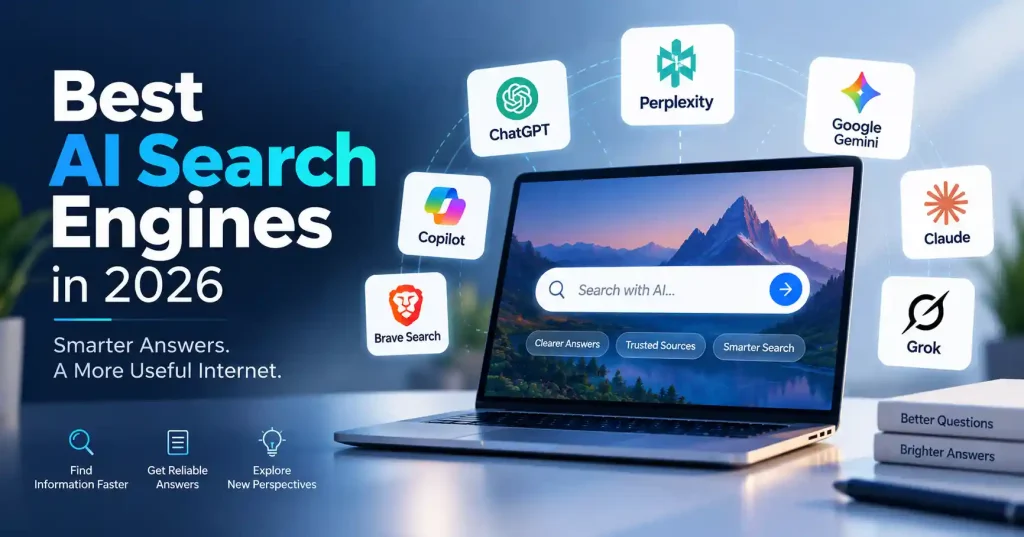
There are several strong choices in 2026, but they have different strengths. Here’s how the leading options compare based on practical use rather than simply ranking them by brand popularity.
1. Perplexity : Best for Research and Citations
Perplexity stands out when deep research is the goal and you actually need to check where facts originated. Search drives the whole platform. It isn’t just a basic chatbot with a search toggle bolted on. Answers put sources right out in the open, which means you jump straight from a quick summary to the original page without hunting around. That is particularly useful when you’re researching products, writing articles, checking facts, or comparing several options.
Perplexity also makes sense for questions that require multiple sources rather than a single quick fact. If you’re researching a complicated subject, being able to inspect the supporting pages can save considerable time.
The downside is that citations alone don’t guarantee accuracy. A cited answer still deserves a quick source check, especially when the information is technical, commercial, or time sensitive.
2. ChatGPT Search : Best for Conversational Research
ChatGPT Search works well when you want a search tool and an AI helper in the same flow. You can look up fresh info, ask a new question after that, and then use what you find to help with tasks like writing, analysis, coming up with ideas, coding, or other similar work.
Its biggest advantage is continuity. You might start by asking about a technology trend, follow up with a comparison of competing products, and then ask for the findings to be organized into a decision table.
That makes it particularly useful for people who don’t want a separate search tool and writing assistant open at the same time.
For a broader look at how AI tools can fit into a content workflow, GoTechMantra’s guide to AI writing tools for blog posts covers practical uses for research, drafting, editing, and content planning.
3. Google AI Mode and AI Overviews : Best for Everyday Search
Honestly, Google’s a tough habit to kick. It just blends classic search with all those increasingly prominent AI answers.
AI Overviews and AI Mode can summarize information while still connecting users with conventional web results.
This combination is useful when you don’t necessarily want a purely conversational experience. You might want an answer first, but still need maps, shopping results, images, videos, websites, or other Google search features.
Google’s strength is particularly noticeable for everyday searches where freshness and broad web coverage matter. Local searches, current events, product information, and questions that benefit from Google’s existing search ecosystem are natural use cases.
There is also a trade off: AI summaries can push traditional results further down the page, so users need to be more deliberate about opening the underlying sources when the details matter. Google’s interface has continued moving toward more prominent AI generated summaries during 2026.
4. Microsoft Copilot : Best for Microsoft Users
Microsoft Copilot fits best if you already live in Microsoft tools each day. Its search runs through Bing. The rest of the help can pair with other Microsoft apps you use.
That can be useful for professionals who move between web research, documents, spreadsheets, presentations, and workplace tasks. Instead of thinking about search as a separate destination, Copilot can become part of a larger productivity workflow.
For everyday web questions, it is a capable option. Its bigger advantage appears when search is connected to the other tools you already use.
5. Google Gemini : Best for Google Centric Workflows
Gemini is another hybrid option. It can check the web and still act like a general AI helper. That combo is handy when a research question needs to turn into something else.
Say you look up a topic. Then you ask for a quick recap. After that, you compare what you found. Finally, you use those results to sort your notes or map out a write up.
Gemini will feel familiar to people who already use a lot of Google tools. You do not have to jump between random apps. The search part and the AI part can stay in one flow.
One big catch is the same issue with most AI search. A clean answer does not guarantee that every detail is right.When accuracy matters, inspect the underlying sources.
6. Grok : Best for Real Time Conversations and Social Trends
Grok stands out when your search involves what’s happening right now, particularly around online conversations and trends. Its connection to X gives it a different source environment from many competing AI search tools.
That can help you watch how people react when a story breaks, track what is being said in public, or see what comes up as a topic grows.
The downside is clear. Social apps are full of opinions, wild guesses, jokes, missing facts, and outright false claims. Treat social signals as signals, not automatically as established facts.
7. Brave Search : Best for Privacy Focused Search
Brave Search is a search option you might try if you care a lot about privacy. It has an Answer with AI tool. This tool gives short AI style answers using results from the web. It also lists the sources that were used to make the answers.
Another interesting part of Brave’s approach is its independent search index. That gives it a different foundation from services that primarily depend on the same major search infrastructure.
If privacy and independence from the mainstream search ecosystem matter to you, Brave Search is one of the options worth testing.
8. Kagi : Best for Ad Free Search
Kagi takes a different approach by focusing on a paid, ad free search experience. Its search product can combine its own indexes with other search sources, while Kagi Assistant adds AI capabilities to the search workflow.
This can appeal to people who spend a lot of time searching and want more control over the search experience rather than relying on an advertising driven model.
Kagi isn’t necessarily the first tool a casual user needs. But for heavy searchers who care about clean results and fewer distractions, it’s an interesting alternative.
How to Choose the Right AI Search Tool
Instead of asking which platform is universally the best, start with the type of work you actually do.
For research:Perplexity is where peo
ple usually begin. It helps you find sources and citations right away. That makes the first step feel natural.
For general AI work plus search: ChatGPT works well when you want to turn research into text, checks, code, or new ideas right away.
For everyday web searches: Google AI Mode and AI Overviews work best if you still want to use the larger Google Search results too.
For Microsoft users:If you use Microsoft tools a lot, Copilot may be worth trying.
For Google users: Gemini fits naturally into a Google heavy workflow.
For real time social conversations: Grok has a useful angle because of its connection to X.
For privacy focused searching: Brave Search is worth testing.
For ad free search: Kagi is a compelling choice for people who search heavily.
There’s no reason to limit yourself to one tool, either. A practical setup might use Google for quick everyday searches, Perplexity for research, and ChatGPT when that research needs to become something useful.
What Makes a Good AI Search Engine?
A top search tool is not just the one that sounds smooth. Before you bookmark a platform for good, check these five points.
Source quality
Can you see where the information came from? Strong citation visibility makes fact checking much easier.
Freshness
How well does the tool handle information that changes frequently? Current prices, product features, news, regulations, and software updates need more than an old training data answer.
Answer quality
Does the system actually answer the question, or does it produce a long summary without getting to the point?
Follow up handling
Good AI search should understand context. You shouldn’t have to repeat the entire question every time you want to narrow the answer.
Search control
Some users want a simple answer. Others want control over sources, deeper research, or traditional search results.The best tool depends on the level of control you want.
If you use AI search to help with your site or content plan, you still need solid SEO. A good page should offer real value, keep a clear layout, include relevant internal links, and meet what the reader is looking for. GoTechMantra’s On Page SEO Checklist for Beginners is useful for reviewing those fundamentals.
AI Search Doesn’t Replace Verification
It’s a seductive trap, isn’t it? Trusting an AI’s response sight unseen just because it flaunts citations.
Those citations, fancy as they are, won’t absolve you of your own verification. An AI can mangle a page number, scramble data, or dredge up stale information. Worse, it might reference a point the original source only vaguely implies.
A better workflow is simple:
- Ask the AI search engine your question.
- Review the answer and identify the claims that actually matter.
- Open the cited sources.
- Check whether those sources support the answer.
- Compare another source when the decision has meaningful consequences.
This takes slightly longer than blindly accepting the first answer, but it gives you a much more dependable result.
FAQ’s
What is the best AI search engine in 2026?
No single option beats the rest in every case.Perplexity is often handy when you need research material and clear sources. ChatGPT tends to do well when you want to talk through ideas or get help with general AI tasks. Google is great for quick daily searches and it connects you to a big set of search tools.
Is Perplexity better than Google?
It really depends on what you are looking for. If you want a short answer that cites sources, Perplexity can feel easier. If you want the usual search results, Google is still a solid pick. Google also tends to work well for maps, shopping, photos, and clips. It can also give more local details, plus a wider set of tools.
Is ChatGPT a search engine?
ChatGPT is mainly meant to be a general AI helper. Still, it can look up new info on the web and then answer with sources. Because of that, it can work well as a search tool too. But it is not the only thing it does.
Are AI search engines accurate?
Yeah, AI answers can be good, even eerily accurate sometimes, but don’t engrave them in stone. Seriously, always check the original source, especially for news or anything important.
Which AI search engine is best for privacy?
For top tier privacy, Brave Search is fantastic. If you don’t mind paying a bit for an ad free web, Kagi is another stellar option. It’s a real gem.
Will AI search replace traditional Google search?
Both methods will probably stick around. AI search really shines when you’ve got knotty questions needing a single, put together answer. Traditional search? Still handy if you want to sift through a bunch of links or snag specific files and services.
Conclusion
The top AI search engine? Honestly, it’s not the one with the most impressive answer. It’s the one that just works for whatever you’re doing right then.
Need a lot of sources for your research, Perplexity is your guy. If you want search to blend straight into writing, or analysis, or whatever other AI tasks, pick ChatGPT. Google’s still solid for daily use, obviously, and Gemini or Copilot are smart choices if you’re already deep in their systems. Grok shines for real time social media chitchat. Brave is worth a look if privacy is key, and Kagi? That’s for anyone who hates ads.
The big change is that search isn’t just about finding a webpage anymore it’s about actually getting what information means. But one core rule never changed: the best AI search engine is only as good as the questions you feed it and the facts you check yourself.