
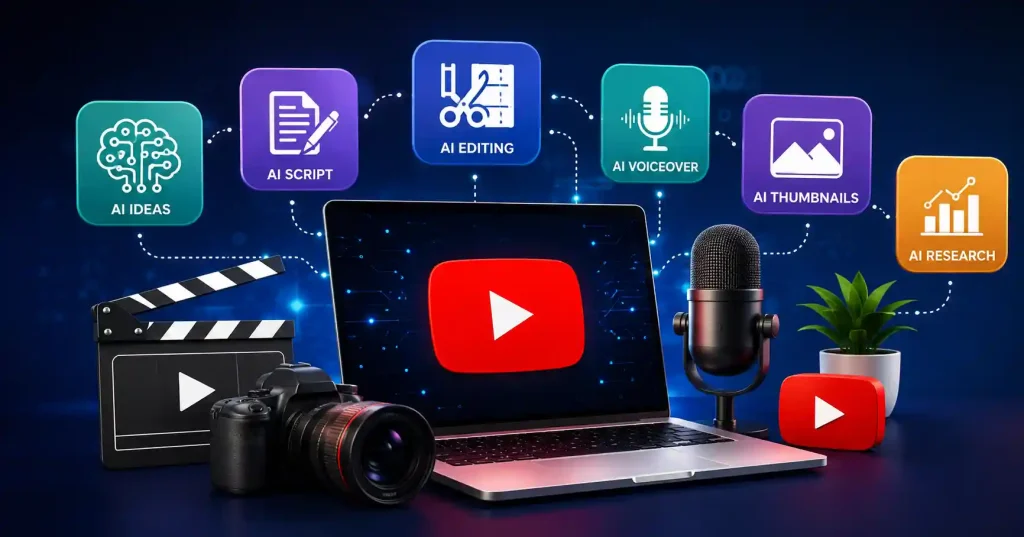

Making a YouTube video takes way more than just hitting record and shoving it online. You need a solid angle, a script, B roll, voiceover work, editing magic, captions, a catchy thumbnail. And often cut downs for Shorts or TikTok. The right AI tools handle a lot of that heavy lifting. They do it without making your whole channel sound like a robot made it.
The real trick with AI isn’t letting it take over your channel. It is cutting down the grunt work. That way, you actually have time for deep research, better storytelling, sharp takes, and the stuff people subscribe for. Take a tech reviewer, for instance. They can let AI help organize a rough script or scrub out background hiss in the audio, while they keep total control over product tests and honest opinions.
What Can AI Tools for YouTube Actually Do?
AI touches almost every part of making a YouTube video. Some tools tackle just a single task, whereas sprawling platforms jam scripting, generation, editing, captions, voiceovers, and repurposing into one dashboard. It is wild.
Common uses include:
- Generating and organizing video ideas
- Creating first draft scripts and outlines
- Turning text into video scenes
- Producing AI voiceovers
- Removing filler words and cleaning recordings
- Creating captions and subtitles
- Generating Shorts from longer videos
- Designing thumbnails and supporting graphics
- Repurposing videos for other platforms
AI belongs where it cuts production time, full stop. Don’t let it touch the stuff needing real human judgment, Sure, a generated script makes a decent starting point. Still, your actual experience decides what goes live.
8 Best AI Tools for YouTube Content Creation
There isn’t one perfect platform for every creator. A faceless channel, gaming channel, educational channel, and product review channel can have completely different production needs. These tools are worth considering because they solve different parts of the workflow.
1. ChatGPT : Best for YouTube Ideas and Scripts
ChatGPT can help a lot when you are still planning a production. It is good for coming up with video ideas. You can also use it to shape hooks, build a simple outline, or fix an intro that feels flat. If you are doing an interview, it can suggest questions. It can even take rough research notes and turn them into a script you can actually use.
After that, it works better if you share more details first. For example, do not ask for a “YouTube script about SEO.” Instead, say who the video is for, what they already know, the target length, and the one takeaway you want them to keep. Then you can review what it writes and adjust parts using your own examples and views.
Best for: Video ideas, outlines, scripts, hooks, titles, descriptions, and content repurposing.
2. Canva : Best for Thumbnails and Visual Assets
Canva is particularly useful when your YouTube workflow needs graphics alongside video. You can whip up thumbnails, title cards, diagrams, social posts, channel graphics, and even basic video clips all within one design program. No more bouncing between apps.
Its AI helps kickstart the first draft, sure. But the real win comes from the fine tuning afterward. For thumbnails, you still need to nail the main subject, text size, contrast, and visual flow yourself. Don’t just settle for whatever the AI spits out first.
Best for: Thumbnails, graphics, short clips, slide decks, plus channel branding.
3. Descript : Best for Editing Spoken Videos
Descript takes a text based approach to video editing. Forget rigid timelines. Edit the transcript, and the audio falls right into line, it’s a godsend for tutorials, interviews, podcasts, commentary, and screen recordings. You can also vaporize filler words, refine audio, generate captions, and make all sorts of vocal adjustments. If you habitually need to polish something you’ve already captured, this entire workflow will dramatically shrink your editing time.
Best for: Screens, voices, lessons, chats, desktops. All on demand.
4. ElevenLabs : Best for AI Voiceovers
A lot of YouTube channels that rely on voiceovers can use ElevenLabs to create narration from a script they already wrote. This helps when you would rather not record each line by hand. It also helps keep the delivery steady across multiple videos in the same series.
The quality of the script still matters. Write for the ear rather than the page, use natural sentence lengths, and listen carefully for pronunciation problems before generating the complete narration. Also check the licensing terms of the plan you’re using if the channel is monetized.
If voice generation is a major part of your workflow, our guide to Best AI Voice Generator for Content Creators covers several options in more detail.
Best for: Faceless YouTube channels, narration, documentaries, explainers, and multilingual content.
5. CapCut : Best for YouTube Shorts
CapCut helps a lot when time is tight, especially if you make Shorts from footage you already have. The AI tools can add captions, apply effects, remove backgrounds, and handle other tasks you would normally repeat.
If you post often, the main gain is not just more visual options. You can start with your raw clips, spot the better parts, put in captions people can actually read, speed up the cuts, and then export a short video. You do not need to set up a complex editing routine.
Best for: Short videos on YouTube. Quick cut edits. On screen captions. Clips for social feeds. Made for phones first.
6. InVideo AI : Best for Prompt to Video Workflows
InVideo AI is designed for creators who want to move from an idea or script toward a complete video draft quickly. It depends on the project, but this can help put together the scenes, the voiceover, the images, and the other parts of production.
For some kinds of work it really fits. Think of explainer videos, list style clips, lessons, and channels that do not depend much on footage shot by a camera. Still, treat the generated result as a draft. Check every scene, verify factual claims, replace irrelevant visuals, and make sure the pacing fits the audience.
Best for: Explainers, faceless videos, educational content, and fast first drafts.
7. OpusClip : Best for Repurposing Long Videos
Creators who publish long form videos often have plenty of material for Shorts but not enough time to edit it all manually. OpusClip is built around turning longer recordings into shorter clips, helping identify moments that can work as standalone pieces.
For example, a 30 minute interview might contain several useful answers that can become individual Shorts. You’ll still want to review the selections because an algorithm doesn’t always understand which moment has the strongest context or payoff.
Best for: Turning podcasts, interviews, webinars, and long YouTube videos into Shorts.
8. vidIQ : Best for YouTube Topic Research
vidIQ focuses more on the strategy side of YouTube. It can help creators explore topics, keywords, video ideas, and channel related insights before production begins.
So it’s handy when your main headache isn’t how to edit a video, but figuring out which video even deserves your time. A solid workflow? Start with research, then an outline and script, finally using different AI tools for the actual filming and edits.
Best for: Topic research, keyword ideas, video planning, and channel strategy.
How to Choose the Right AI Tools for YouTube
Don’t start by subscribing to every AI platform you see. Start with the part of your workflow that wastes the most time.
- Identify your bottleneck. If writing takes hours, start with a writing assistant. If editing is the problem, look at transcript based editors or automated clipping tools.
- Decide what you actually publish. A Shorts creator needs a different setup from someone producing 20 minute tutorials or documentaries.
- Test one real project. Don’t judge a tool from its demo. Run an actual video through the workflow and see how much manual cleanup remains.
- Check export and licensing restrictions. Free plans may include limits on resolution, credits, watermarks, commercial use, or downloads.
- One tool you actually master, honestly, trumps five fancy ones you never quite get the hang of.
For example, a creator making weekly tutorials might use ChatGPT for planning, Descript for editing, Canva for thumbnails, and ElevenLabs only when narration is needed. Someone making Shorts from podcasts could have a completely different setup.
If you regularly create videos from scripts or generated visuals, you can also compare these options with our guide to Best Free AI Video Generators in 2026.
A Practical AI YouTube Workflow
A simple production system can prevent AI from becoming another source of busywork.
Start with the topic and audience. Then create a rough outline before generating a script. After the script gets polished, capture your footage or whip up the needed visuals. Hand off the grunt work to AI: clean up muddy audio, auto generate captions, churn out voiceovers, hunt for stock clips, or cut short form teaser versions.
Never skip the final human sweep. Watch the whole video end to end, not just the AI parts. Double check names, stats, visuals, how words are pronounced, pacing, and anything that might trick the audience. This vigilance counts double when AI generates synthetic humans or fake events. YouTube currently requires creators to disclose certain realistic YouTube’s guidance on AI generated content disclosures or meaningfully altered content during the upload process.
Common Mistakes When Using AI for YouTube
The biggest error is thinking automation lets you skip editing.
AI can make a video that is technically fine, yet it may feel flat, miss key facts, repeat itself, or fail to connect with the people watching.
Another issue is leaning on the same AI voice, the same stock clips, the same script flow, and the same cut style as everyone else.
The tools may be identical, but your examples, opinions, demonstrations, research, and storytelling should make the finished video distinct.
If you are going to put out info made by a model, double check it first. This matters even more in tech write ups, software guides, product comparisons, money topics, and health content. Old details or plain wrong claims can spread fast, and that can hurt trust with your audience.
FAQ’s
What are the best AI tools for YouTube beginners?
If you are new, ChatGPT can help you plan and write scripts. Canva is handy for making thumbnails. For edits, try CapCut or Descript first. Pick the one tool that fixes your hardest part of the job. Then learn it before you add more.
Can AI create an entire YouTube video?
Yes, some tools can make large sections of a video from a prompt or script. Still, a fully made video usually needs a person to check it. The check should cover facts, timing, what is shown on screen, the voiceover, and whether the content feels original.
What AI tool is best for YouTube Shorts?
CapCut works well if you are editing Shorts. OpusClip is handy when you already have a longer video and want it cut into smaller clips. The right pick depends on what you start with, like raw footage or a long video you already have.
Can I use AI voices for YouTube videos?
You can use an AI voice to read a script. Still, you need to check the company’s license rules. Make sure you are allowed to use that specific voice and the material you plan to include.
Also, if your AI made content must be marked on YouTube, then add the right disclosure. Then follow the usual upload steps they list for that kind of video.
Should I use AI to write my entire YouTube script?
It helps to treat AI like a tool for getting started, not like the whole creative engine. Share what you want to say, such as your main point and a few examples. Also tell it the shape you want the piece to take and who will be watching. Then have it rewrite the script so the final version matches your usual channel voice.
Do AI tools replace video editors?
They can handle the boring, repeated edits. That can make output faster. Still, real editing depends on taste and decisions. It is about pacing, how the story flows, and what lines up from scene to scene. You also have to choose what to stress and what to cut. Machines do not replace that part.
Conclusion
The top AI tools for YouTube aren’t always the ones packed with the most features. It’s about finding tools that actually fix a sticky part of your video making process. And critically, they shouldn’t take over, you still need to steer the ship.
Think about using ChatGPT for your initial ideas and scripting. Need graphics? Canva’s your friend. Descript makes editing a breeze if you’re working from a transcript. For voiceovers, ElevenLabs sounds uncannily human. CapCut is handy for those quick YouTube Shorts, If you need a rough draft fast, InVideo AI can churn one out. OpusClip is great for slicing up longer content into shareable bits. And vidIQ helps you figure out what people actually want to watch, you definitely don’t need all of them.
Figure out what part of making videos is bogging you down. Try out one tool on an actual project. See how much time and effort it really saves you. Keep what actually helps your workflow and ditch the rest. Honestly, that’s a smarter way to build your AI powered YouTube setup than just grabbing every shiny new gadget that pops up.


Pingback: ChatGPT vs Gemini: Which AI Is Better in 2026?