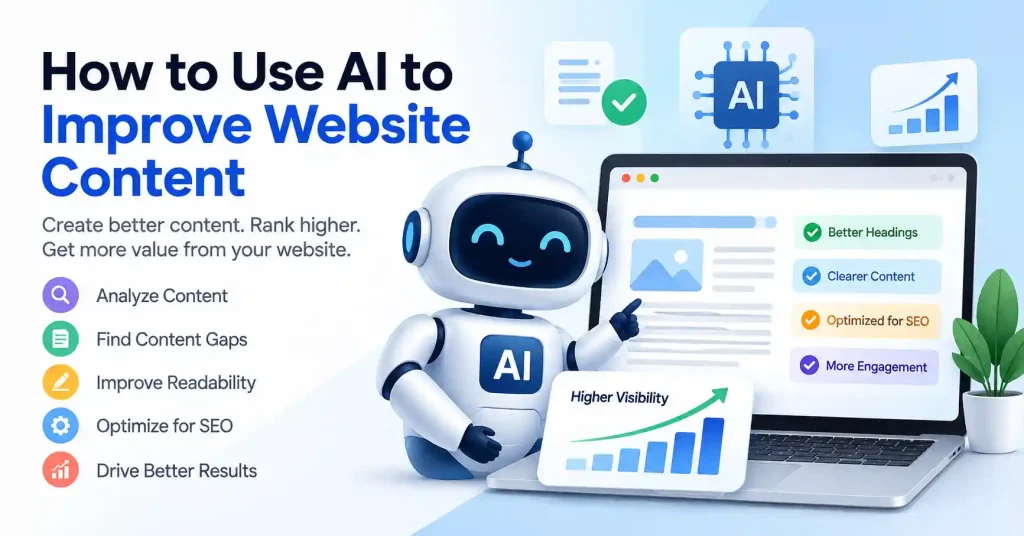

AI now helps content groups research topics, write briefs, revise pages, and spot chances inside older site material. When used well, it can speed up the work. Still, it should not turn every post into the same bland, template style.
A good approach is to keep AI as a support tool, not the whole engine. For page updates, the best results come when the tool does the repeated tasks. That includes quick scans and rough drafts. A person should then add real know how, clear context, and the right editorial calls.
Google also keeps pointing to content that feels useful and made for people. It is not about tricks meant to bump rankings. AI is not the main issue. The real risk is cheap, low value pages made in large volume.
What Is AI Website Content Optimization?
AI website content optimization uses artificial intelligence to look at your page and then help you adjust it. The system can judge things like what users want, how well the topic is covered, how easy the text is to read, how the page is laid out, what questions people ask, and how the page is doing now.
This work is not only about writing a fresh article. It can also point out weak parts in an older post, spot questions readers bring up, suggest headings that make more sense, match your page against other similar pages, smooth out stiff sentences, and turn one piece of writing into different formats.
Say a SaaS company has a post about subscription billing. The number of visits stays steady, yet the post skips key details. It does not cover failed payments, retry steps, invoices, or dunning. With an AI aided content review, those missing items stand out. Then the writer chooses what truly fits on that page.
This choice matters a lot. You should not just paste in every idea from a tool. The aim is to improve the page for the real reader who is looking for those answers.
How AI Website Content Optimization Works
A useful AI content workflow usually has several stages. You don’t need an expensive stack for every step, either.
1. Start With Search Intent
Before you hand an article over to AI, figure out what the reader wants. A simple search query like how to reduce SaaS churn can mean a lot of things. Maybe they need hard definitions. Maybe strategies, real examples, benchmarks, or a full retention plan. These are totally different goals wrapped in the same broad topic.
Feed the AI your target keyword, the draft itself, your audience, business background, and search intent. Then ask it a direct question. What does this page nail? Where does it fall flat?
Keep the final call in human hands, AI spots patterns, sure. But it doesn’t know your readers or what matters commercially.
2. Audit Existing Content Before Creating Something New
One of the most useful applications of AI is improving pages you already have.
Instead of publishing another article on a similar subject, feed an existing page into your workflow and ask questions such as:
- Which sections are outdated or too shallow?
- Are important subtopics missing?
- Where does the explanation become repetitive?
- Which claims need verification?
- Could the introduction answer the reader’s question faster?
- Are headings descriptive and logically organized?
This approach can prevent content libraries from becoming crowded with articles that overlap with one another.
Google’s guidance similarly emphasizes creating useful, original information rather than producing large quantities of pages with little additional value.
3. Build Better Content Briefs
A good content brief saves more time than generating a first draft blindly.
AI can turn research into a working outline containing:
- Primary topic and search intent
- Suggested H2 and H3 sections
- Questions readers are likely to ask
- Relevant supporting concepts
- Examples that could make the explanation clearer
- Internal link opportunities
- Potential calls to action
The writer can then remove weak suggestions and add the expertise the model doesn’t have.
An SEO firm that deals with technical SEO might use AI to sort a big set of possible subtopics. Then the strategist reviews what is worth keeping for the client and what only makes the work longer.
Use AI to Improve Existing Web Pages
AI is particularly useful for content refreshes because the starting material already exists.
Take an older comparison article. Feed your draft straight to the machine. Do not let it rewrite everything. Instead, command it to ruthlessly hunt down muddy explanations, dead weight, weak openings, and stale facts.
Then edit the page section by section.
This produces a very different result from asking, “Rewrite this article and make it SEO friendly.” The latter often produces a polished version that says essentially the same thing.
A practical refresh process is:
- Review current traffic and search queries.
- Identify pages with clear improvement opportunities.
- Give AI the existing content and relevant context.
- Ask for gaps, redundancies, and unclear sections.
- Verify suggested factual changes.
- Rewrite only the sections that need work.
- Add original examples, experience, and updated information.
- Review the complete page before publishing.
Improve On Page SEO With AI
AI can assist with small page tasks that people miss.
For instance, it can come up with other title options, rewrite a meta description, and check if headings are clear. It can also suggest terms that fit the topic and help draft image alt text that actually describes the picture.
Another use is to see if a page truly answers the main question it targets. It can even point out places to link to other related pages.That matters for big sites, since no one can keep track of every relevant post by memory.
If you want more ideas for marketing work, you can look at GoTechMantra’s guide on Best AI Tools for Digital Marketing. That guide lists AI uses in SEO, writing, campaigns, and other parts of marketing.
Still, you should not treat AI output like a strict checklist.If a term feels forced, skip it and move on.A readable page is more useful than one engineered around an arbitrary list of phrases.
Use AI to Make Content More Useful, Not Just Longer
There’s a temptation to treat optimization as a word count problem. It isn’t.
Padding a weak fifteen hundred word piece out to twenty five hundred fixes nothing. Better to sharpen the core explanation, drop in a real example, or throw up a comparison table. Just answer the next logical question readers always ask. Google keeps pushing the same old line about generative AI search, but people need stuff that is genuinely useful. Not recycled noise. Traditional SEO basics still matter, too.
AI can help you ask, “What would make this page genuinely more useful?” That’s a much better question than “What keywords are missing?”
Add Human Expertise to AI Assisted Content
The best AI assisted pages usually hold details you won’t get from a generic prompt. Think original examples pulled from your own business, hard lessons learned dealing with actual customers, process screenshots, deep product specifics, or a sharp opinion built on real experience. You might even explain why standard advice fails sometimes.
Take an article about SaaS onboarding. Sure, an algorithm can chat about activation rates, welcome emails, or user journeys, but an experienced marketer knows the gritty details. They can tell you why a specific flow crashed and burned, where people got stuck, and how a redesign fixed it.
That raw stuff, Guard it.
Google also encourages publishers to make authorship and the “who, how, and why” behind content clearer when appropriate.
Common Mistakes When Using AI for Website Content
AI becomes less useful when the workflow is built around volume instead of quality.
Watch for these problems:
- Publishing the first AI generated draft with minimal editing
- Asking AI to add keywords wherever possible
- Creating multiple pages that target nearly identical search intent
- Accepting factual claims without verification
- Removing useful detail because AI recommends making everything shorter
- Using the same tone and structure across every article
- Generating content without giving the tool enough business context
- Measuring success by the number of articles published
Another common mistake is asking AI to “sound human” after the content has already become generic. It’s usually better to provide real information and a genuine point of view from the beginning.
A Practical AI Content Optimization Workflow
For a small marketing team, a simple workflow can be enough:
- Research: Gather customer questions, search metrics, old stats, and competitor content.
- Analyze:Let smart machines uncover missing topics, weak areas, and hidden content opportunities.
- Plan: Build an outline around the reader’s actual problem.
- Create: Use AI for brainstorming, drafting selected sections, examples, or alternative explanations.
- Edit: Add human expertise, remove generic language, and improve clarity.
- Verify: Verify all facts, quotes, claims, stats, dates, and details.
- Optimize: Review metadata, structure, images, internal links, and headings.
- Measure: Monitor organic traffic, sales, alongside total reach.
This places AI right where it thrives, speeding up mundane chores. Yet watchful human eyes remain essential.
For another practical example of using AI as an assistant rather than a replacement for editorial judgment, see GoTechMantra’s guide to How to Humanize AI Content for a Blog.
FAQ’s
Can AI optimize existing website content?
Yes. AI can review existing pages for missing topics, repetitive sections, unclear wording, potential internal links, metadata improvements, and content gaps. A human should still decide which recommendations make sense.
Does AI generated content hurt SEO?
AI use alone does not mean the text is blocked from search. What matters more is the end result. Is it genuinely helpful and not just copied or rephrased? Does it stand up as correct? Also, the main goal should be readers first, not gaming search rankings.
Can AI find keywords for website content?
AI rapidly spits out related terms, burning questions, topical clusters, and search intents. Never worship them blindly. Always cross check keyword suggestions against cold, hard search data alongside your actual page purpose.
Should I let AI write my entire website?
Most businesses should use AI selectively. It tackles rough drafts and mindless chores easily. Important pages still need human expertise, accurate product details, deep customer insights, and real brand messaging. Don’t automate it all.
How can AI improve old blog posts?
Revitalize pages already holding strong content first. Direct AI to sniff out stale facts, weak spots, fluff, and lingering questions. Make sharp, narrow fixes. Never start entirely from scratch.
What should humans do when AI is used for content?
AI rapidly spits out related terms, burning questions, topical clusters, and search intents. Never worship them blindly. Always cross check keyword suggestions against cold, hard search data alongside your actual page purpose.
What should humans do when AI is used for content?
Humans craft the strategy, provide expertise, and verify facts. Final editorial sign offs rest squarely with us. AI accelerates the workload, absolutely. Yet no algorithm stands accountabl-e when things go wrong and something bad actually gets published.
Conclusion
Optimizing a website with AI has nothing to do with churning out endless pages or stuffing keywords into old posts. The real point is spotting content problems in a fraction of the time, leaving writers free to fix what actually counts.
Run audits on legacy articles, flesh out solid briefs, hunt down blind spots, clean up clunky phrasing, sort out research piles, and spin up fresh options. Then the human steps in. You bring the real world experience, fact checking, unique examples, brand voice, and straight editorial instinct.
The bottom line? Hand off the tedious grunt work to the algorithms, but make sure your finished site content is something a machine could never crank out on its own.