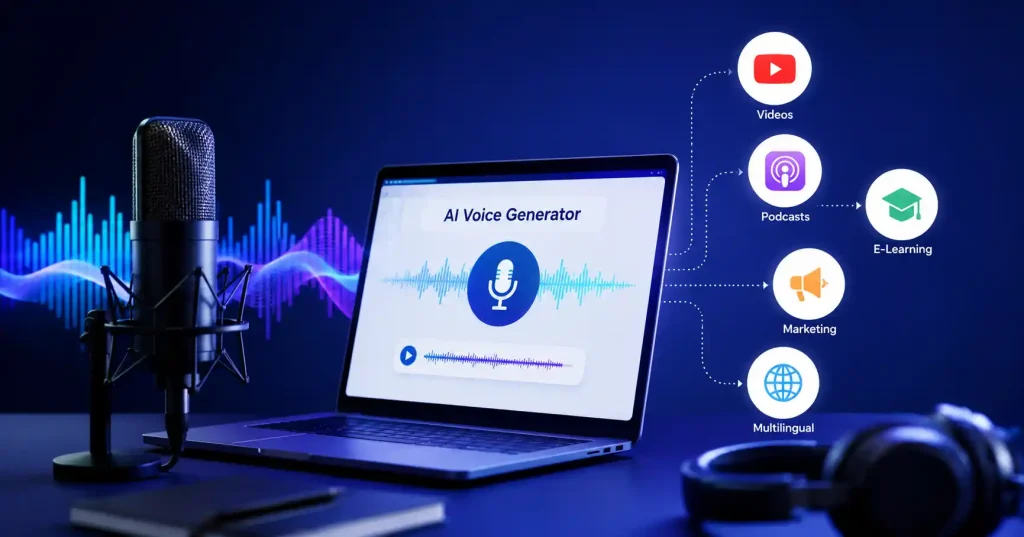

Those clunky robotic sounds are ancient history now. A decent free AI voice generator transforms plain text into believable narration for YouTube, podcasts, slides, courses, social clips, and product promos. Free is tricky, though, Platforms handle that word differently. Character limits apply on some tools, while others lock your downloads or gate commercial licensing behind a paywall even if the sample voices sound great. Really great.
When picking a tool for regular creation, voice quality is just one piece of the puzzle. You also have to check language support, pronunciation tweaks, editing tools, export formats, cloning capabilities, and the actual license terms hidden in the fine print. This guide lines up practical options worth testing right now and breaks down where each tool shines.
What Makes a Good Free AI Voice Generator?
Voice tools should actually improve your daily workflow. Slick demos mean nothing once a full script completely breaks down under pressure. Really, creator value boils down to a single metric, How effortlessly can this platform juggle dense, lengthy text?
Look for these features before settling on one:
- Natural pacing, pauses, and pronunciation
- Multiple accents, languages, and speaking styles
- Controls for speed, tone, emphasis, or delivery
- Enough free usage for your typical projects
- Simple audio preview and editing
- Clear rules around downloads and commercial use
- Voice cloning or custom voices when needed
Free limits matter more than they first appear. A platform might give you time to tinker. But watch out. They lock downloads, stamp watermarks on exports, or hold commercial rights back for paying subscribers.
5 Best Free AI Voice Generator Tools in 2026
There isn’t one tool that’s perfect for everyone. A YouTube creator making weekly explainers has different requirements from someone turning blog posts into audio or a developer testing a voice powered application.
1. ElevenLabs : Best for Natural Sounding Narration
ElevenLabs really stands out when you want audio that sounds genuinely human. That free tier hooks you up with ten thousand characters each month, Not bad. You also unlock the core text to speech engine alongside a solid library of voices.
It truly shines for stories, podcasts, narration, and snappy social clips where stiff delivery instantly kills the entire vibe. You actually get surprisingly tight control over pacing. Plus, it handles a bunch of languages, including Hindi.
The catch? Licensing. That free tier is locked down to purely personal stuff, meaning you must upgrade if you ever plan on making money.
Best for: YouTube narration, storytelling, demos, and realistic voiceovers.
Try ElevenLabs
2. Murf AI : Best for Presentations and Business Voiceovers
Murf AI takes a more studio oriented approach. Its free AI voice generator provides access to a range of voices and lets users experiment with voice generation, making it useful for presentations, training material, explainers, and marketing content.
The current free offering includes 10 minutes of voice generation and two projects. Murf also provides controls around speed and other aspects of delivery, which helps when you’re trying to make narration fit a specific video or presentation.
The real catch, Murf locks free users out of exporting files completely. You test the workflow first, but then paying is the only way forward.
Best for: Voiceovers, product demos, course materials, all set to go.
3. Speechify : Best for Reading and Everyday Text to Speech
Speechify isn’t quite like tools built strictly for voiceover work. The core strength here is turning articles, PDFs, books, and random docs into actual spoken audio. You get free text to speech online, plus a huge pile of AI voices spanning tons of languages.
That makes it super handy when a slick YouTube voiceover isn’t what you’re after. Students can digest study guides by ear, while writers test drive an article before hitting publish, and busy professionals knock out long reports during a train commute.
Speed control is built right in. Crucial. Power through dense material without wasting time.
Best for: Checking docs, proofreading, accessibility, studying, and even listening.
4. Descript : Best for AI Voiceovers Inside a Video Editor
Descript is worth considering when voice generation is only one part of the job. Instead of creating audio separately and moving it into another application, you can generate AI speech directly inside a text based video and audio editing workflow.
Its AI voice tools can create narration, repair mistakes in recordings, and generate speech using stock voices or a clone of your own voice. Descript says its AI voices support more than 20 languages, while its pricing page lists limited AI speech and custom voice functionality on its free tier.
This is especially useful when you’re editing a podcast or video and notice one sentence needs changing. Instead of recording the entire section again, you can edit the script and regenerate the missing audio.
Best for: Video creators, podcasters, tutorials, and editing voiceovers alongside video.
5. PlayAI : Best for Multilingual and Multi Speaker Projects
PlayAI, previously known as Play, ht, leans heavily into expressive speech, multi speaker audio, voice cloning, and multilingual generation. It handles conversational and narrative tasks with equal skill. That makes it a genuinely solid pick for documentaries, podcasts, character dialogue, and voice apps.
Here is a neat trick. You are never stuck. Swap in different voices on the fly. Interviews, fictional chats, and educational audio become much simpler to put together.
Plus, you get granular controls. Custom pronunciations, distinct speech styles, rate, pitch, pauses, and emphasis are all yours to tweak.
Best for: Podcasts, interesting characters, tongues spoken by many.
Free AI Voice Generator vs Paid Voice Tools: What Changes?
The biggest mistake is assuming that a free plan is simply a smaller version of a paid plan. Often, the real restrictions are around how you can use the generated audio.
Before publishing a voiceover, check:
- Character or minute limits: Find out whether the free allowance resets monthly or is only available as a trial.
- Download access: Specific tools generate audio previews easily, yet downloading tracks costs money. Always.
- Commercial licensing:Always scrutinize those pesky usage rights instantly, whether monetization beckons, client work calls, or ad campaigns launch.
- Watermarks: Free tools usually stamp export files with their own obnoxious brands.
- Voice availability: Premium voices and advanced controls may be locked behind a subscription.
This is why the “best” free AI voice generator isn’t necessarily the tool with the largest voice library. If you can’t legally download or commercially use the output for your project, a generous free allowance doesn’t help much.
How to Choose the Right AI Voice Generator
Start with the content you’re actually making. Don’t pick a platform simply because its demo voice sounds amazing.
For YouTube videos, prioritize natural narration, pronunciation, pacing, and easy exporting. ElevenLabs is a strong starting point.
For business presentations and training, look for predictable delivery, voice consistency, and editing controls. Murf is worth testing.
Speechify wins for dense documents, anchoring listening as a core foundation rather than some afterthought. Descript claims the crown for video and podcast work.
Smooth voice generation and editing happen right inside one unified workflow. No friction.For multi speaker or multilingual content, PlayAI can be a better fit because of its focus on multiple voices and language support.
If you’re already experimenting with other AI content workflows, you may also want to compare these tools with the broader options covered in our guide to the best AI writing tools for blog posts and the best AI tools for digital marketing.
How to Get Better Results From AI Voice Generators
Even the best voice model can sound awkward when the script is written like an article instead of spoken language. Write for the ear.
Use shorter sentences where a pause would naturally occur. Spell out unusual abbreviations when pronunciation matters. Add punctuation deliberately instead of treating it only as grammar. And listen to the first 20–30 seconds before generating an entire script.
Small swaps transform robotic narration. Take a dense sentence like, The platform offers a comprehensive solution for businesses looking to optimize their customer communication processes, and reshape it. A voiceover breathes better saying, The platform helps businesses communicate with customers more efficiently. Simple adjustments force AI speech to sound startlingly natural.
Are Free AI Voices Good Enough for YouTube?
They work well for testing out raw ideas, short clips, lessons, and channels where a unique voice just doesn’t matter much. Modern synthetic voices handle pacing, vocabulary, and emotion far better than older software ever could. Consistency is king here. Drop a video weekly, lock in one voice, and stick with it. Check your subscription terms for full export rights too. Swap voices every upload and the whole channel feels disjointed to viewers, shattering whatever loyalty you built.
FAQ’s
What is a free AI voice generator?
Algorithms drive free AI voice generators, instantly transforming written text into spoken audio, Paste your script, pick a voice, and get an immediate track. No microphone needed, Pretty wild, right?
Which is the best free AI voice generator in 2026?
For realistic narration, ElevenLabs is a strong choice. Murf fits business voiceovers best, Speechify handles reading jobs well. Descript shines for video and podcasts. PlayAI? Keep it in mind for complex multilingual or multi speaker projects.
Can I use a free AI voice generator for YouTube?
Sometimes. Platform licenses rule everything here. Free generation does not automatically grant commercial freedom. You simply must check those actual usage rights first, or monetizing that audio might catch you completely off guard. Look closely.
Can AI voice generators speak Indian languages?
Yes. Several major platforms support Indian languages. ElevenLabs handles Hindi effortlessly. Meanwhile, Murf and Speechify pack surprisingly robust multilingual voice tools into their setups.
Can I create my own AI voice for free?
Some platforms allow you to test voice cloning or custom voice features, but free access and usage rights vary. Voice cloning, Always get clear permission. Seriously, don’t ever copy someone’s voice without them saying yes.
Are AI voices better than human voice actors?
Not necessarily. Synthetic voices shine when you need rapid narration or constant script tweaks. Real voice actors still bring interpretation, raw personality, and genuine creative direction. That spark remains tough for machines to pull off reliably..
Conclusion
The top free synthetic voice tool depends entirely on your specific project. Forget flashy demos, ElevenLabs leads for natural narration. Murf handles business presentations nicely, whereas Speechify shines simply when you want long text read aloud. Descript suits editors who need built in audio utilities, PlayAI takes care of multilingual needs and multi speaker setups.
Before choosing, test a real chunk of your actual script. Ignore the promo samples.
Then check the free limit, export rules, and commercial license. That small bit of homework can save you from finishing a project only to discover that the free plan isn’t suitable for publishing it.