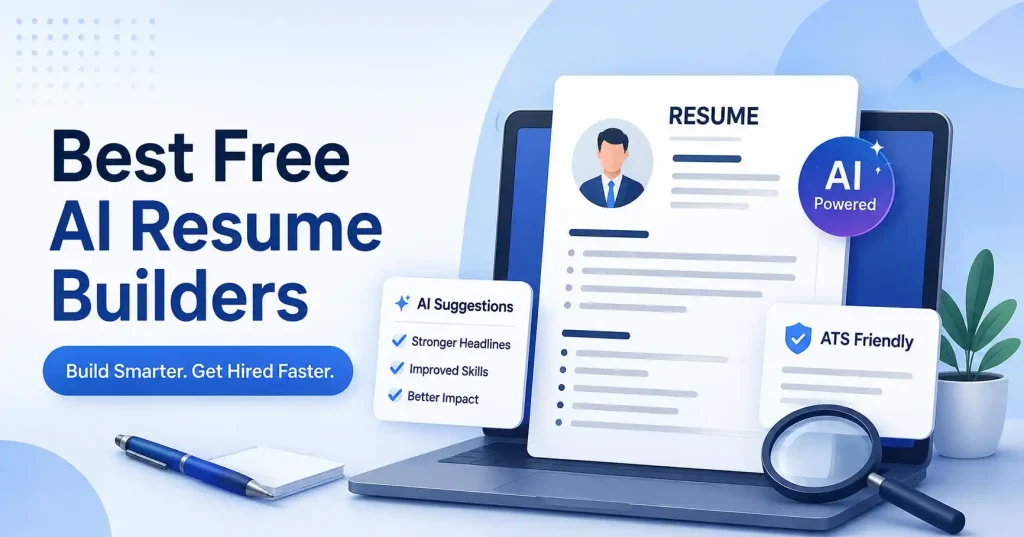

A free AI resume builder takes that heavy weight right off your shoulders. It crafts bullet points, organizes sections, aligns your background with specific listings, and hands you a polished document.
There is a catch, though. Free means something different everywhere you look. Certain platforms offer genuinely useful zero cost tiers, while others maliciously trap your finished work right behind a surprise paywall. Skip the flashy marketing layouts for a second. Let us examine what you actually get before pulling out a credit card.
What Is a Free AI Resume Builder?
A free AI resume builder mashes traditional resume features together with smart writing tools. Forget staring at a blank Word document. Just punch in your job history, skills, school, and target title, letting the software whip that raw data into actual resume text.
The stronger tools actually help tailor your pitch for specific gigs, say you are chasing a SaaS marketing job. Feed the software that exact listing, and its prompts will guide you to highlight the right skills and industry buzzwords.
Keep one thing straight. AI is your helper, not the author of your life story, If the tool hallucinates a metric, fake certification, or phantom achievement, cut it immediately. A polished lie is still just a lie.
What Should You Look for in an AI Resume Builder?
Before choosing a tool, check five practical things:
- Free downloads: Is getting that final resume downloadable for free possible?
- AI writing: Do simple chores turn into heavy, forceful results?
- Job matching: Does this system compare your resume against job postings?
- ATS friendly formatting: Can software parse this layout realistically, or will it just fail completely?
- Multiple versions: Custom resumes for each role. It’s really that straightforward.
This last point is easy to overlook. You probably shouldn’t send the exact same resume to a product marketing job and a content marketing job. Your experience stays the same, but the emphasis should change.
Best Free AI Resume Builder Tools
1. Teal : Best Overall for Job Specific Resumes
Tailoring resumes for a dozen different jobs drives you completely nuts. Teal saves your sanity. The free builder lets you draft, edit, match listings, and export without paying a dime. Plus, its smart AI will actually write summaries or bullet points tailored to the specific gig you want. That workflow shines brightest when you are knee deep in frantic hunts instead of filing away one generic CV.You can keep a master version, then adapt it for individual opportunities.
Best for: Frequent job applications, job matching, and managing multiple resume versions.
Watch out for: Some of the more advanced AI analysis and matching capabilities are part of Teal’s paid tier.
2. Rezi : Best for ATS Focused Resumes
Rezi focuses squarely on the resume itself. It’s got AI writing tools, helps you hit those crucial keywords. And even checks your resume for ATS compatibility, all baked right in. Their freebie plan lets you build one resume, use the AI helper, and grab it as a PDF a few times.
So, Rezi’s a good bet if you’re not chasing fancy graphics and instead want solid structure, sharp wording, and a resume that actually speaks to the job you want.
Picture this: a software developer lands a backend engineering gig description. They can pop that whole thing into Rezi. The platform then flags skills or keywords they might have missed on their own resume, offering suggestions. It’s pretty direct.
Best for: Job seekers dodge automated filters and polish resumes using AI.
Watch out for: That free plan severely restricts resume and PDF downloads.
3. Kickresume : Best for Simple Templates
Kickresume combines resume templates with AI assisted writing. Its free plan includes basic resume templates, cover letter templates, resume examples, and unlimited downloads, while its more advanced AI writing and checking features are reserved for Premium.
It is a practical option when you need a polished resume fast without wrestling with margins and stubborn fonts. These templates hand you a solid starting point, particularly if you have zero clue how to structure your very first professional CV.
Just keep one catch in mind, the AI tools do not all come free. Check pricing first.
Best for: Clean templates, beginners, and straightforward resume creation.
Watch out for: Advanced AI writing requires a paid plan.
4. Canva : Best for Resume Design
Canva offers a free resume builder worth trying when visuals matter. You get tons of layouts, seamless drag and drop tools, AI writing assistance, and simple PDF exports. Seriously, why not test it?
Canva works especially well for creative roles where visual presentation can complement the content. A graphic designer, social media specialist, photographer, or brand designer may have more reason to use a visually distinctive resume than someone applying for a heavily standardized corporate role.
Fancy layouts often wreck ATS parsers. Stick to plain templates. Clear headers, simple typography, and zero fluff win every time, that is what works best.
Best for: For creative pros and applicants, design control is key.
Watch out for: Complex visual resumes fail when parsed by heavy automated tracking software.
5. Enhancv : Best for Resume Feedback
Enhancv shines brightest when you possess a draft and simply need heavy repairs. The platform employs clever artificial intelligence to overhaul bullet points, synthesize punchy summaries, harvest relevant skills, and calibrate your background directly against specific job postings. They even toss in complimentary diagnostic checkers for layout structures, automated tracking software compatibility, and overall content health.
This makes it less of a blank page creator and more of a rigorous polishing studio. Frankly, it is a lifesaver. When your existing CV holds solid work history yet reads like a monotonous inventory of chores, these automated prompts force you to reframe every single triumph.
Best for: Improving an existing resume and getting structured feedback.
Watch out for: Some full builder features are tied to paid access after the available free period.
How to Use AI Without Making Your Resume Sound Generic
The fastest way to get a bland AI resume is to give the tool almost no information. “Write my marketing resume” doesn’t give it enough material to produce anything distinctive.
Skip vague claims. Name the exact products you shipped, tools touched, clients rescued, and broken workflows fixed. Bring real numbers every single time you have them.
A better workflow looks like this:
- Create a master resume: Detail past employment, key skills, schools, projects, and wins.
- Find a target job: Pick your dream position, and then paste that exact description.
- Tailor the resume:Tap the AI builder. Instantly, spot key skills. Then, fix weak points, Quickly.
- Check every claim: Verify every number, tool, task, and win completely.
- Edit the AI output: Fixing clunky wording until it sounds entirely human.
- Export and review: Open that final PDF right now and inspect the dates, page breaks, headings, spacing, and contacts.
That final human review matters deeply. Sure, machines generate accurate text effortlessly. Yet they often leave behind awkward layout fractures or massive bullet clusters, rendering the entire document an absolute nightmare to skim.
AI Resume Builder vs. Traditional Resume Template
A standard template hands you the bare framework, but an artificial intelligence resume builder helps you actually generate the content that populates those sections.
Got a knack for crisp, impactful bullet points, A simple document layout is probably all you need. But when that blank page just sits there, mocking you, and your past work feels utterly indescribable? AI is your instant launchpad. Seriously, it’s a godsend.
The real magic, though, happens in the middle ground. Let the bot churn out its messy first go. Then, armed with your own gut feeling, you polish that rough draft into something truly yours.
Building out a bigger tech stack? Check our guide covering top AI marketing tools.
Common Mistakes to Avoid
AI doesn’t automatically make a resume good. Watch for these problems:
- Generic summaries: “Using tired buzzwords like results driven tells recruiters genuinely nothing about you.
- Keyword stuffing: Stealing exact phrases? Your resume sounds clunky, repetitive, and painfully robotic.
- Unverified achievements: Never let AI invent numbers or results.
- Over designed templates: Images hinder clarity whenever pure reading remains the ultimate goal.
- One resume for every job:Hiring managers want actual experience. Not just the airy, theoretical stuff, you know.
- Too much content: Software writes résumés instantly, yet real human warmth secures the job. Every time.
Here is the rule. Every single line has to earn its keep. If a sentence fails to reveal what you actually did, knew, or achieved, cut it immediately.
Which Free AI Resume Builder Should You Choose?
Your best choice depends on the part of resume writing you dislike most.
Choose Teal if you’re applying to lots of jobs and need to tailor multiple versions. Choose Rezi if ATS optimization and job specific keywords are your main concerns. Choose Kickresume if you want straightforward templates and free downloads. Choose Canva if visual design matters to your profession.Go with Enhancv if your resume already exists and needs a serious tune up. You don’t need all five tools anyway. Just pick the single feature fixing your biggest headache, build one solid master resume, and test that workflow against a live job ad.
For more practical AI and technology tools, you can also explore our guide to best free AI tools for students if you’re a student, graduate, or early career professional.
FAQ’s
Is a free AI resume builder really free?
Sometimes. Free plans vary considerably. Some tools allow unlimited editing and downloads, while others limit the number of resumes, AI actions, templates, or exports. Always check the current free plan limits before committing your time.
Can AI create my entire resume?
Sure, it’ll spit out words. Loads of ’em. But you’ve gotta feed it the real facts first, then give it a good, hard look. Your resume? That’s about your actual career, not some AI’s best guess.
Are AI generated resumes ATS friendly?
They can be, provided the creator keeps everything tidy and skips strange layouts. But honestly? No single software can guarantee an applicant tracking system digests every single resume without a hitch.
Should I use the same resume for every job?
Generally, no. Keep one massive master resume on hand. Then, Build a custom version for every single serious application. Tweak your summary, skill set, and bullets to match what they actually want.
Is Canva good for ATS resumes?
Canva makes clean resumes easy, but those pretty templates often fail ATS scans. Stick to basic layouts with standard headings and zero graphics when you are applying for conventional roles. It just works better.
Can AI improve an old resume?
Yeah, uploading an old resume is actually a smart way to use AI, Why start with a blank page? You just feed it your draft. The tool spots weak bullet points, cuts out repetitive junk, sharpens the phrasing, and lines the whole thing up for one specific job.
Conclusion
A free AI resume builder works best when it cuts out the tedious grunt work without hijacking your career story. Teal is a solid all round pick if you need to tailor applications. Rezi leans hard into ATS focused editing, Kickresume keeps the whole setup simple. Canva gives you room to breathe with design, while Enhancv helps polish a resume you already wrote.
The bigger takeaway? The tool itself matters less than your actual workflow, Start with real, accurate facts. Tailor the thing to the job description. Use the AI just for structure and rough phrasing, then rewrite every single section before you hit send. A clean, specific resume that actually sounds like a human will always beat a polished document drowning in generic AI jargon.