
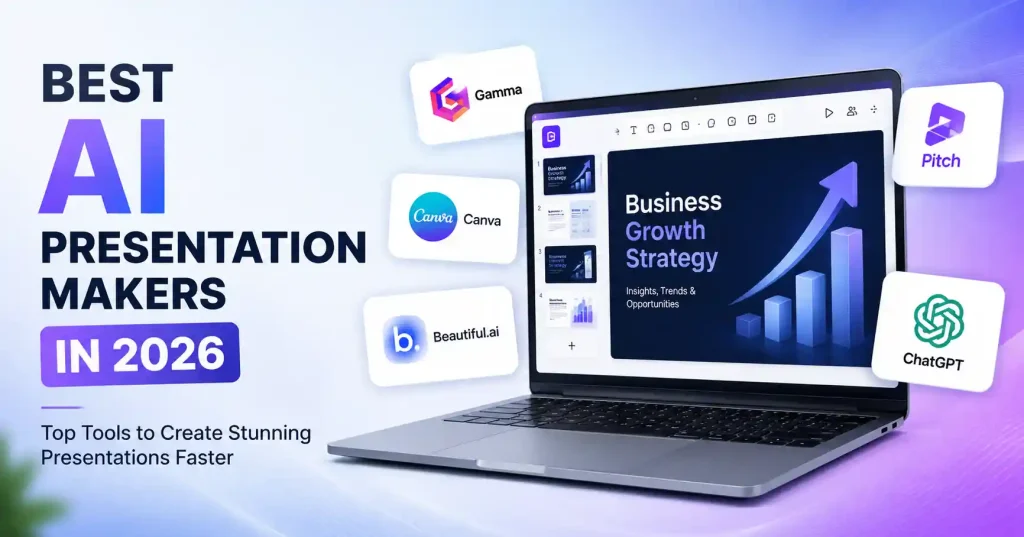

Putting together a solid presentation still demands more than slapping words onto slides. You need a narrative thread that makes sense, smart visuals, steady formatting, and the discipline to avoid walls of text. An AI presentation builder takes care of the heavy lifting early on. It turns an outline, a random topic, or a raw document into a working deck. Instead of starting with a blank screen, you are just refining what’s already there.
That distinction matters. These tools don’t replace you as the speaker or designer, they just eat up the tedious legwork. Sales pitches, client proposals, internal reports, training modules, or investor decks all come together faster. You get a head start.
What Is an AI Presentation Maker?
An AI presentation maker uses generative tech to spin a raw prompt, a rough outline, notes, or old files straight into slides. Depending on the specific tool you use, it might map out the structure, draft the copy, pick out layouts, find or build visuals, snap on a theme. And help you tweak individual slides later.
The real trick isn’t just spitting out ten or twenty random slides. It’s skipping that agonizing hour of dragging text boxes and fighting with templates just to get from a messy idea to a solid first draft.
Best AI Presentation Makers in 2026
1. Gamma : Best Overall for Fast AI Generated Decks
Gamma is a strong choice when speed matters. Feed the platform a messy outline or some stray notes and watch it construct your presentation. You can even refine the deck via AI, swap layouts, drop in visuals, and export those finished slides directly to PowerPoint, PDF, or Google Slides. Frankly, it saves ridiculous amounts of time. Marketers and startup founders churn out decks constantly. Meaning they finally get to skip burning precious hours on fussy slide design. Best for: Fast business decks, proposals, marketing presentations, and turning existing content into slides.
Watch out for: AI generated copy still needs editing. A polished layout can’t compensate for a weak story.
2. Canva : Best for Design Flexibility
Canva weaves artificial intelligence straight into a classic layout studio. Just type a prompt. The presentation builder instantly crafts a rough draft featuring structural outlines, written content, and baseline aesthetics. Following that initial burst, you manually polish the slides, slotting in fresh imagery, vector graphics, video files, or whatever else fits your unique vision.That makes Canva especially useful for small marketing teams. You might generate the first version of a product presentation, then adjust the colors, imagery, typography, and messaging to match an existing campaign.
Best for: Marketing teams, social media presentations, branded decks, and users who want extensive design control.
Watch out for: Having lots of design options can become a distraction. Start with the message before spending time polishing individual elements.
3. Beautiful.ai : Best for Structured Business Presentations
Beautiful.ai takes a more guided approach to presentation creation. Its AI workflow lets you start with a prompt, outline, or supporting material, review the story structure, and then move into slide design. Its Smart Slides also help keep layouts consistent as content changes.
This is useful when several people are producing presentations for the same company. Brand themes and reusable design controls can reduce the problem of every employee creating a deck that looks completely different.
Best for: Business presentations, team decks, branded reports, and professional presentations.
Watch out for: It’s more useful when you want the platform to guide the design process rather than give you unlimited creative freedom.
4. Pitch : Best for Collaborative Sales and Marketing Decks
Pitch combines AI presentation creation with a collaborative workspace. Its AI can generate complete decks from prompts, refine slides through chat, rewrite content, restructure slides, and replace visuals. Teams can also work from shared templates and brand assets.
For sales teams, there’s another useful angle: presentations can become part of the broader sales workflow rather than simply being exported as a file. You can create, share, and track presentation engagement from the same environment.
Best for: Sales teams, startup pitch decks, marketing teams, and collaborative presentation workflows.
Watch out for: If you’re only creating an occasional personal presentation, some of its team oriented features may be more than you need.
5. ChatGPT : Best for Presentation Planning and Content
ChatGPT isn’t a traditional slide design app like Gamma, Canva, or Beautiful. ai. Still, it shines early in the presentation workflow. You use it to build the narrative, map an outline, boil down dense info, draft speaker notes, write punchy headlines, or compress a long document into presentation ready bullets.
Take a 2,000 word product strategy doc. Don’t ask for a finished deck right out of the gate. Instead, have it map out a 10 slide executive structure first, giving you one core message per slide. That keeps you firmly in the driver’s seat when building the final deck.
Best for: Research, outlining, messaging, speaker notes, and refining presentation content.
Watch out for: You’ll generally need another presentation tool if you want a complete visual deck with polished slide layouts.
How to Choose the Right AI Presentation Maker
Never pick software just to churn out bloated slide decks. Ten crisp slides easily demolish a messy twenty five slide monster.
Start with your actual workflow:
- Choose based on the type of presentation. Pitching investors, training staff, and crafting sales decks demand drastically different approaches.
- Check how much editing control you want. Some tools guide the design heavily, while others give you more freedom.
- Look at import and export options. PowerPoint or Google Slides? Try software built for how your team actually works. It’ll fit.
- Consider brand controls. Client squads need unified fonts, colors, logos, and templates. Address this now.
- Test the AI with real content. Don’t judge a platform only from its demo. Feed it an actual outline or presentation topic you’ll use at work.
- Check collaboration features. When teams share a single deck, flashy AI matters less, Robust version control, shared templates, and comments become everything.
Run a simple test. Build the exact same presentation across rival tools. Now count every minute spent on manual cleanup, Honestly, initial speed rarely means you cross the finish line faster.
How to Create a Better Presentation With AI
AI saves time. Still, your input dictates the quality. Feed it a vague prompt, and you’ll get a muddy presentation right back.
Try this workflow:
- Define the audience. A presentation for a CEO shouldn’t read like a beginner’s tutorial.
- State the objective. Tell the tool whether you want to persuade, explain, report, teach, or sell.
- Give it the source material. Use your notes, research, product information, or existing document where possible.
- Set a slide limit. This forces the tool to prioritize rather than turning every minor point into another slide.
- Review the narrative before the design. Make sure the presentation has a logical beginning, middle, and end.
- Rewrite generic copy. Replace broad statements with actual examples, numbers, customer problems, product details, or evidence.
- Check every visual. AI can choose an attractive image that has little to do with the point you’re making.
- Practice the presentation. A deck can look excellent and still be difficult to present.
If you’re also using AI for content marketing, our guide to Best AI Writing Tools for Blog Posts in 2026 is useful for building the written material that often becomes the foundation for presentations.
Common Mistakes to Avoid
The worst move is treating AI slides like they are done. They are just rough drafts. Check the facts. Toss out junk slides. Trim the fat so every visual actually helps your point.
Overcrowding kills presentations. Feed AI a long explanation and it spits out six bullets, three subpoints, plus a chart. Nobody reads that wall of text.
Split the idea or simplify it. Your audience shouldn’t have to read a document while you’re talking.
Brand consistency is another area worth checking. If that deck represents a company, check it by hand. Look at fonts, colors, logos, product claims, screenshots, and terminology before sending it out.
For broader content and SEO work, check our Best AI SEO Tools for Beginners in 2026 guide too. The rule holds. Let automation do the heavy lifting to move fast. But keep a human eye firmly on the wheel for the final product.
When Should You Use an AI Presentation Maker?
AI presentation software is particularly useful when the blank slide is the main bottleneck. It’s also valuable when you already have material but need to turn it into something easier to present.
Consider using one when you need:
- A first draft for a client presentation
- A quick sales or product deck
- An internal business review
- A training or educational presentation
- A pitch deck outline
- A presentation based on an existing document
If you already have a strong presentation template and only need to make minor edits, traditional PowerPoint or Google Slides may still be faster.
FAQ‘s
What is the best AI presentation maker in 2026?
There is no single tool that fits every job. Gamma is a strong pick when you need a deck built fast. Canva gives you design freedom, Beautiful. ai helps with structured business slides. Pitch shines for teamwork on sales and marketing. ChatGPT? That is your go to for planning the story and tightening the text behind your slides.
Can AI create an entire presentation?
Right. AI presentation tools can knock out a draft straight from a prompt. Still, look closely. Check the structure, the facts, visuals, and exact wording before you ever share it with another soul.
Can AI presentation makers create PowerPoint files?
Check export settings immediately. Certain applications dump files straight into presentations, completely bypassing tedious manual rebuilds. This detail matters immensely when your team demands fully editable slides. Never skip this step.
Are AI generated presentations good for business?
Drafts or routine reports? Absolutely. Yet never hit send blindly. Business users must meticulously vet confidential figures, brand guidelines, and factual claims before anything leaves their desk.
Can I make a presentation with AI for free?
You’ll find free tiers or trials out there, though export formats, AI limits, templates, and team sharing vary wildly. Run your actual workflow through first. Never bank on a free plan blindly.
Should I use AI instead of PowerPoint?
Not necessarily, though. AI tools and PowerPoint actually play nice together. You could use AI to whip up a first draft, then jump into the presentation software your team already uses for those final edits. It’s often smoother that way.
Conclusion
The right AI presentation tool is simply the one that gets out of your way. Gamma works well for turning random notes into a deck in minutes, Canva fits best when you care deeply about visual styling. Beautiful. ai locks things down so every slide stays neat and structured, while Pitch shines for teams pitching clients together. And ChatGPT? Use that when you are stuck staring at a blank page wondering what to say next.
The trick is starting with the core message rather than the design. Feed the tool enough context to crank out a decent first draft, then go in and chop it up. Cut the weak slides, ditch the boring wording, double check your facts, and make every graphic earn its spot. That is how you grab the speed wins from AI without making the final deck look completely robotic.


Pingback: How to Create a Presentation With AI Step by Step