
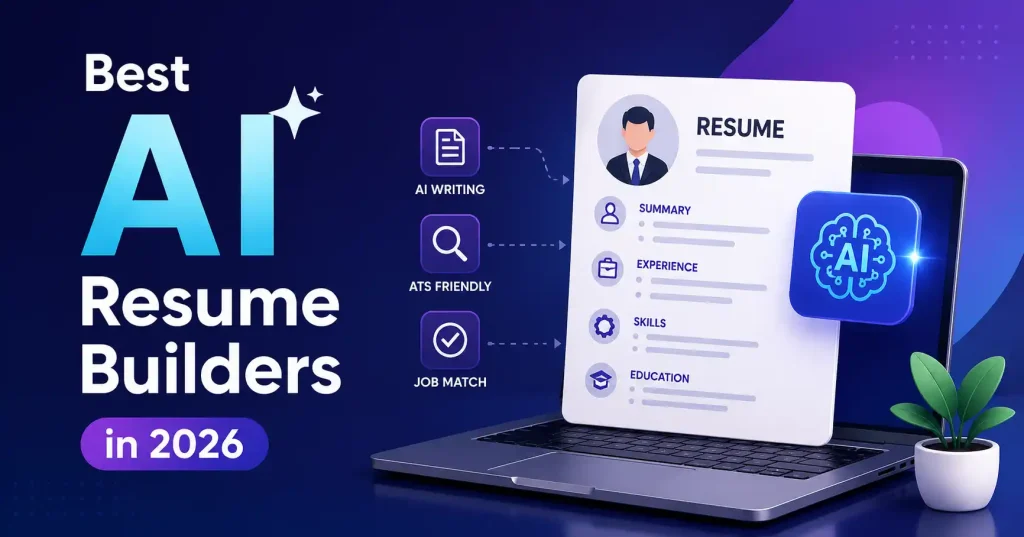

Finding work is exhausting enough. You spend hours fixing margins, tweaking the exact same job history for every single opening, and stressing over whether some automated sorting filter is even going to read your PDF. That is where an AI resume builder actually helps. The good ones draft solid bullet points, match your background to a specific job listing, pitch missing skills, and keep layouts neat. No magic involved, though. You still have to supply real facts, check every single sentence the machine spits out, and pick a design that real human recruiters can actually stomach alongside the computer filters.
What Is an AI Resume Builder?
An AI resume builder is software designed to draft, polish, or tailor a resume. Staring at blank pages, Gone. Just feed this tool your raw work history, skills, schooling, or even an old CV, and watch it work. It steps in and suggests professional wording and clean structure.
Some platforms focus purely on building the document, Others tie it into job tracking, keyword analysis, cover letters, or full application management. That matters a lot. If you are applying to just two jobs, a simple builder will do the trick. Active job seekers sending out dozens of applications need the heavy duty workflow instead.
What Should You Look for in an AI Resume Builder?
The tool drives your outcome. A smart AI resume builder streamlines the workload completely, still, it should never clutter your file with generic, robotic buzzwords. Striking that delicate balance, Brutally difficult.
Look for these features:
- AI writing assistance:Elevates ordinary chores into striking, powerful results.
- Job description tailoring: Stop spamming identical resumes everywhere. Carefully tailor that document for every single specific job application you submit.
- ATS friendly formatting:Standard sections and clear layouts are applied.
- Keyword suggestions:It pulls exact job post requirements and terms directly.
- Templates: Expert grids, Total clarity stays intact.
- Easy editing: Retain total command over changes without strict automation locking things down completely.
- Export options:Confirm the tool natively supports your specific employer document format first.
Watch out for ATS compatibility. Applicant tracking systems scan resumes for specific skills, job titles, and qualifications. Fancy layouts, graphics, tables, and weird formatting just break the parser. Keep it simple.
Best AI Resume Builders in 2026
There isn’t one winner for every type of job seeker. These six platforms stand out for different reasons, from ATS focused editing to job tracking and visual design.
1. Teal : Best for Job Search Management
Teal isn’t just another resume builder. Its real power ties your resume directly into the whole messy job hunt. You get to save open listings, keep your applications organized, and spin up custom resume versions for specific roles.
Those AI tools actually help polish your bullets and summaries, Plus, if you are firing off applications everywhere, the tracking workflow keeps you sane.
Best for: Job hunters build resumes and track applications seamlessly in one place today.
Watch out for:Teal offers entirely pointless tools when your simple goal happens to be crafting a straightforward resume.
2. Rezi : Best for ATS Focused Resumes
Rezi takes a more ATS first approach. This thing? It’s all about your resume’s look, making sure your keywords hit, and shaping content for a specific job. Total game changer against those applicant tracking systems. If you’re in a hurry, don’t rewrite everything, Just fine tune a few sections. Best for: Pros outsmart screening software, zeroing in on key hiring terms. Watch out for: Don’t blindly accept every keyword suggestion. A keyword should only appear if it accurately reflects your experience.
3. Kickresume : Best for Templates and Fast Creation
Kickresume pairs sharp AI drafting tools with dependable layouts. It offers a swift escape for anyone staring down a blank page, needing a polished CV without the formatting agony. That matters.
The machine learning instantly crafts or rewrites your experience bullets on the fly. Meanwhile, those diverse styles hand you absolute command over the final aesthetic, which heavily appeals to nervous applicants who obsess over presentation and crave a structured path forward.
Best for: Jump in, beginner or pro. You’ll find so many creative styles. Watch out for:Got a resume? Keep it simple, that’s for the ATS. No fancy designs they won’t help you get hired.
4. Resume.io : Best for a Straightforward Resume Workflow
Resume. io is built around making resume creation simple.You unlock guided editing, pro templates, and fine tuning tools, Honestly, it is a solid pick whenever formatting feels like a tedious chore. You just focus on your actual experience. Meanwhile, the smart builder effortlessly handles the annoying layout for you without wasting any of your precious time.
Best for: Experts and beginners skip complex setups for this polished resume. Watch out for: Check export rules before buying. Seriously, especially if you merely require one single resume, scrutinize every feature first.
5. Enhancv : Best for Design Focused Resumes
Enhancv takes a visual route with resume design, relying on customizable templates and adaptable sections. Job seekers wind up with an application packing far more personality than a dull text document.
That helps immensely in marketing, design, creative sectors, or product roles where aesthetics actually matter. Still, watch out. There is a catch, the wilder the layout gets, the more trouble you face with automated tracking scanners.
Best for: Creative professionals who want more visual flexibility.
Watch out for: Use a simpler, ATS friendly design when applying through large corporate hiring systems.
6. Novorésumé : Best for Guided Resume Building
Novoresume completely removes the headache of building a resume. Period. It is ideal for anyone entirely stuck on what sections to include or how to map out their employment history.
This tailored platform rescues anxious graduates freezing before blank pages. Instead of drowning you in endless choices, it methodically walks you step by step through crafting a genuinely solid document. Writing just got easier.
Best for: Beginners who want guidance while creating a professional resume.
Watch out for: Candidates with complex career histories may want more advanced tailoring and job management features.
How to Use an AI Resume Builder Without Making Your Resume Worse
AI can make a weak resume sound polished without actually making it stronger. That’s the trap.
Suppose your original bullet says:
Managed social media accounts and created content.
An AI tool might turn it into:
Smart data channels sparked engagement. Yet recruiters remain completely clueless regarding your true accomplishments here, despite how remarkably polished it all sounds.
A better approach is to give the AI real information:
I ran Instagram and LinkedIn for a SaaS firm. Thrice weekly updates launched, driving massive engagement during a pivotal product rollout.Now the tool has something concrete to work with.
Use this workflow:
- Create a master resume containing your complete, accurate experience.
- Paste the target job description into your AI resume tool when supported.
- Identify relevant keywords that genuinely match your background.
- Rewrite selected bullets using your real responsibilities and results.
- Remove unsupported claims or numbers generated by AI.
- Check the final layout before exporting and submitting.
For more help with AI powered content workflows, you can also see our guide to Best AI Writing Tools for Blog Posts in 2026. And if you’re building your broader AI toolkit, our guide to Best AI Tools for Digital Marketing in 2026 covers tools used across marketing workflows.
AI Resume Builder vs. Traditional Resume Templates
Traditional resumes grant total autonomy, yet demand tedious manual labor, Modern smart builders sprint past that agonizing initial phase. Suddenly, tailoring applications for specific roles feels effortless, preserving precious hours. The biggest advantage isn’t necessarily generating a resume from nothing. It’s iteration. You can start with one strong master resume and create a more relevant version for a product marketing role, another for content marketing, and another for a SaaS growth position.
That saves time while keeping your underlying experience consistent.
How to Make an AI Resume ATS Friendly
Stop treating ATS optimization like a frantic keyword hunt. Relevance is what counts.
Study that job listing closely. Extract every single keyword matching your background, then weave them seamlessly into your summary, work history, and skills sections. Do it.. Keep it natural.
Keep the formatting straightforward. Standard section headings, readable fonts, simple layouts, and properly structured experience are safer choices than heavy graphics or complicated tables. Check the file format the employer asks for, Different systems take different types. Need resume keyword guidance? Indeed has a whole guide for ATS resume keywords.
Which AI Resume Builder Should You Choose?
Your choice should depend on the part of the job search process causing the most friction.
- Choose Teal if you want resume building alongside job tracking.
- Choose Rezi if ATS optimization is your main concern.
- Templates, Need a quick resume? Kickresume’s where you’ll find it.
- Want an easy, guided resume builder? Resume. io, Of course.
- Enhancv is superb for visual fields, Really paramount.
- Begin fresh, Lost? Novoresume guides every long, winding career journey. You don’t necessarily need to pay for the most feature heavy platform. Build one real resume with your preferred tool first. If it solves your problem, then decide whether its paid features are worth keeping.
FAQ’s
Can AI create a resume from scratch?
Right. Most AI resume builders draft sections and pitch wording from what you feed them. But don’t let the machine invent stuff, you need to supply your actual education, work experience, skills, and hard achievements.
Are AI resumes ATS friendly?
Sure, they can. Just pick an ATS friendly template and keep the formatting sane. AI alone won’t get your resume past the filter, Good headings, the right keywords, clear text, and a proper file type? That is what still counts.
Should I use the same AI resume for every job?
Keep one master resume, but completely reinvent it for every single role, Shift your summary, skills, and experience bullets continuously. Simply adapt.
Can an AI resume builder invent achievements?
Bad prompts mean sloppy facts. Never take AI at its word. Always verify every last number, credential, or claim before sending it out.
Are free AI resume builders good enough?
Free tiers handle basic resumes just fine. But advanced AI features, sharp templates, and tailoring tools stay locked away. Honestly, just test that zero cost version on a real application first. Feel out its limits before you ever open your wallet.
Should creative professionals use highly designed resumes?
Sure. A creative job might let you flex your visual thinking. But if an ATS scans that application, stick to something simpler instead. Better yet, keep a pair of them handy. Have a clean ATS resume ready to go, alongside a punchier visual one for actual human eyes.
Conclusion
The best AI resume builder isn’t about fancy templates or endless feature lists. The one that actually helps is the platform framing your real background cleanly, matching it to the job description. And leaving you with a file both hiring bots and human recruiters can easily read.
Most job seekers find Teal worth checking out if application tracking is a priority. Rezi fits heavy ATS optimization. Kickresume works well if you want more design freedom, while Resume io keeps things simple. Need targeted styling or step by step guidance? Enhancv and Novorésumé fit those spots nicely.
Whatever you pick, treat the software like a copyeditor. Not a ghostwriter. Your actual track record, concrete wins, and honest details are what sell you at the end of the day.

Pingback: How to Make a Resume With AI: Step-by-Step Guide